DxO PureRAW DxO PureRAW
DxO PureRAW ist eine kommerzielle Software der Firma DxO Labs zur Entrauschen und Schärfen von Photos im RAW Format. Diese Software ist für Windows und macOS Betriebssysteme erhältlich. Ich nutze die Version DxO PureRAW6 für macOS. Im Internet gibt es einige YouTube Kanäle mit Gutscheinen für eine Preisreduktion um etwa 15 Prozent. Der Kauf von DxO PureRAW6 beinhaltet eine lebenslange Softwarelizenz. Ein gutes Video zum Gebrauch dieser Software findet sich zum Beispiel auf dem Kanal von Fabian Fopp. DxO PureRAW is a commercial software from DxO Labs for denoising and sharpening of images in RAW format. This software is available for Windows und macOS operating systems. I use the version DxO PureRAW6 for macOS. On the web one can find several YouTube channels with vouchers for a price reduction of about 15 percent. Purchasing DxO PureRAW6 includes a lifetime software licence. A good Video explaining the usage of this software can be found for example on the channel of Fabian Fopp.
Die Software DxO PureRAW beinhaltet auf künstlicher Intelligenz basierende, konfigurierbare Algorithmen zum Entrauschen, für Korrekturen von Objektivfehlern und zum Schärfen von Photos. Zur Verarbeitung & Rauschreduzierung benutze ich typisch DeepPRIME XD3 (Luminanz 40, Details erzwingen 50). Bei den Optischen Korrekturen verwende ich nur diejenigen der chromatischen Abberationen und meistens eine geringe Objektivschärfe-Optimierung (Intensität 10). Auch diese Software arbeitet leider nicht mit sidecar files. Die genutzten Einstellungen lassen sich jedoch als Voreinsetllungen abspeichern und wieder verwenden. Die Software erlaubt auch eine Stapelverarbeitung vieler Bilder. The software DxO PureRAW contains AI model dependent, configurable algorithms for denoising, for lens corrections and for sharpening of images. For Processing & Denoising I typically use DeepPRIME XD3 (Luminance 40, Force details 50). For the Optical Corrections I only use the ones for the Chromatic abberations and mostly a mild Lens Sharpness Optimization (Intensity 10). Unfortunately, also this software does not work with sidecar files. However, the settings used can be saved as presets and re-used. The software also allows for batch processing of many images.
DxO PureRAW erlaubt den Export der prozessierten Bilder in einem Rohformat (hier DNG), wodurch alle Informationen für eine weitere RAW Entwicklung erhalten bleiben. Da diese Bilddateien wesentlich größer sind als das original Kamera RAW file, gibt es auch eine in DxO PureRAW kompromierte proprietäre DNG Version. Bei meinen Photos konnte ich keine signifikanten Unterschiede in der Bildqualität der beiden Formate feststellen. Leider unterstützt darktable dieses kompromierte DxO Format noch nicht. Daher benutze ich den kostenlosen Adobe Digital Negative Converter um die unkomprimierten von DxO PureRAW geschriebenen DNG files mit der Option Camera Raw 14.0 and later zu komprimieren. Auch hier kann ich keine signifikanten Unterschiede in der Bildqualität vor und nach der Kompression erkennen. Diese Files lassen sich dann problemlos in darktable importieren. DxO PureRAW allows for export of the processed images in a RAW format (here DNG), which keeps all information for downstream RAW development. Since these files are much larger than the original camera RAW files, also a compressed, proprietary DNG version obtained withing DxO PureRAW exists. For my photos I could not spot any significant difference in image quality of the two formats. Sadly, darktable does not yet support the compressed DNG format from DxO PureRAW. Therefore, I use the freely available Adobe Digital Negative Converter software to compress the uncompressed DNG files written by DxO PureRAW, while using the option Camera Raw 14.0 and later. Again, I cannot see any significant difference in image quality before and after compression. These files can seamlessly be imported into darktable.
Zur Einordnung anbei einige Zahlen für Photos meiner 45 MegaPixel EOS R5m2 Kamera. Die ungefähren Filegrößen sind: Canon CR3 (40Mb), DxO PureRAW DNG (165Mb), DxO PureRAW komprimiertes DNG (27Mb), DxO PureRAW DNG komprimiert mit dem Adobe DNG Konverter (14Mb). Unterm Strich ergibt sich ein stark entrauschtes Bild und ein wesentlich kleineres file ohne nennenswerte Verluste in der Bildqualität. Zusätzlich ist dieses file in einem nicht-proprietären RAW Format mit offen-gelegtem Datenformat abgelegt. Damit ist es auch langfristig außerhalb der es schreibenden Software lesbar. To put this into perspectives, I quote a few numbers for images taken with my 45 megapixel EOS R5m2 camera. The file sizes are: Canon CR3 (40Mb), DxO PureRAW DNG (165Mb), DxO PureRAW compresed DNG (27Mb), DxO PureRAW DNG compresed with the Adobe DNG converter (14Mb). In summary, a significantly denoised image and a much smaller file is achieved without significant loss in image quality. In addition, this file is stored in a non-proprietary RAW format with openly documented data format. Thus it will be longterm readable outside of the software that was used to write it.
Zur Demonstration der Möglichkeiten sind unten einige Beispiele mit und ohne Entrauschen und Schärfen in DxO PureRAW gezeigt. Hauptaugemerk liegt auf der Qualität der Entrauschung von DxO im Vergleich zum Originalbild und im Vergleich zu einem einfachen Entrauschen in darktable ohne Masken und unter Nutzung der Standardeinstellungen der Module Entrauschen (Profil) für die genutzte Kamera und den ISO Wert der Aufnahme, so wie dem Modul Kontrast-Equalizer nacheinander mit dem presets 'entrauschen' und 'entrauschen Chrominanz'. Dies zeigt nicht das ganze Potential der Entrauschung in darktable, denn unter Einsatz von Masken und Optimierung der verschieden Parameter des Moduls Kontrast-Equalizer lassen sich bessere Resultate erzielen, was aber über das Ziel dieses Vergleiches hinausginge. Daher werden, bis auf das Entrauschen, das DNG file aus DxO PureRAW (DxO) und das original RAW file aus der Kamera identisch in darktable entwickelt. Das entwickelte original RAW file wird in darktable in zwei Versionen erzeugt, einmal mit Entrauschen in darktable (darktable) und einmal ohne Entrauschen in darktable (darktable-nden). Die Anordnung der verschiedenen Versionen eines jeden Bildes ist immer gleich, mit den folgenden Inhalten: To demonstrate the functionalities, a number of examples, with and without denoising and sharpening in DxO PureRAW, are shown below. The main focus is on the quality of the noise reduction by DxO compared to the original image and compared to a simple noise reduction in darktable without applying masks and using the standard settings of the modules Denoise (profiled) for the camera used and the ISO value of the image, as well as with the module Contrast equalizer consecutively using the presets 'Denoise' and 'Denoise chroma'. This does not exploit the full potential of denoising in darktable, since, using masks and optimising the various parameters of the Contrast equalizer module, better results can be achieved. However, this exceeds the purpose of this comparison. Therefore, except for the denoising, the DNG file from DxO PureRAW (DxO) and the original RAW file from the camera are developed identically in darktable. The original RAW is produced in darktable in two versions, one with denoising in darktable (darktable) and another one without denoising in darktable (darktable-nden). The order in which the various versions of each photo are shown is identical, with the following contents:
- Als erstes wird die JPG Konversion des original RAW files direkt nach dem Import und ohne Bildzuschnitt gezeigt. Firstly shown is the JPG conversion of the original RAW directly after import and without any cropping.
- Der erste Vergleich zeigt das in darktable ohne Entrauschen entwickelte Kamera RAW file (darktable-nden) und das mit DxO PureRAW entrauschte Bild nach der gleichen Entwicklung mit darktable (DxO). The first comparison shows the original camera RAW file developed in darktable, excluding denoising (darktable-nden) and the image denoised with DxO PureRAW after the same development in darktable (DxO).
- Der zweite Vergleich zeigt das in darktable diesmal mit Entrauschen entwickelte Kamera RAW file (darktable) und das gleiche mit DxO PureRAW entrauschte Bild wie im ersten Vergleich (DxO). The second comparison shows the original camera RAW file developed in darktable, this time including denoising (darktable) and the same image denoised with DxO PureRAW as in the first comparison (DxO).
Die hier gezeigten Resultate sind nicht als Bewertung aller Möglichkeiten der beiden Softwarepakete bei Anwendung durch einen Experten mit dem vollen Funktionsumfang gedacht. Sie sind viel mehr eine Beschreibung dessen was ich mit diesen Softwarepaketen erreicht habe, in der Zeit die ich bereit war darin zu investieren. The results shown here are not meant as an assessment of what can be achieved by experts using the full capabilities of the two software packages. They merely are a description of what I personally have achieved with these software packages, given the amount of time I was willing to invest into it.
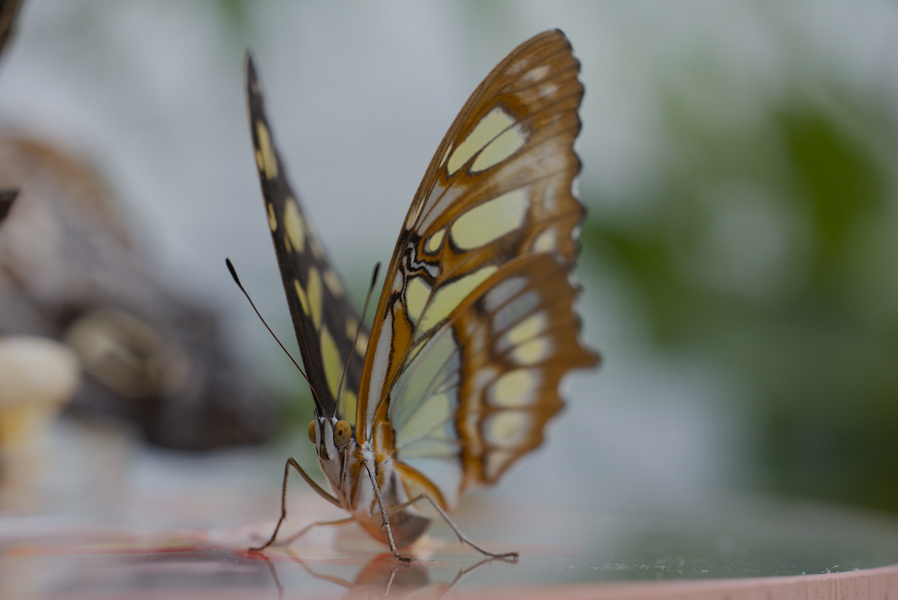
Auf dem Sprung About to Jump
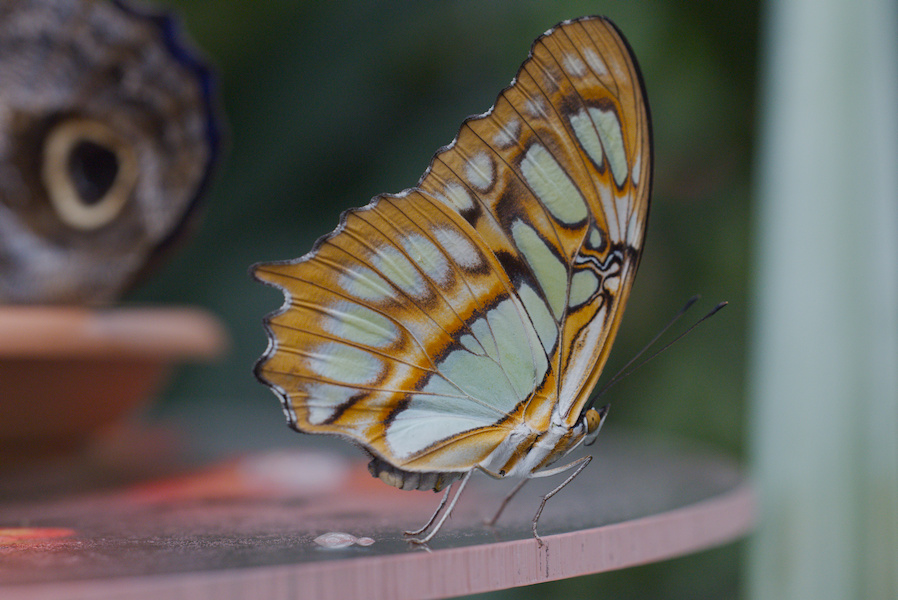
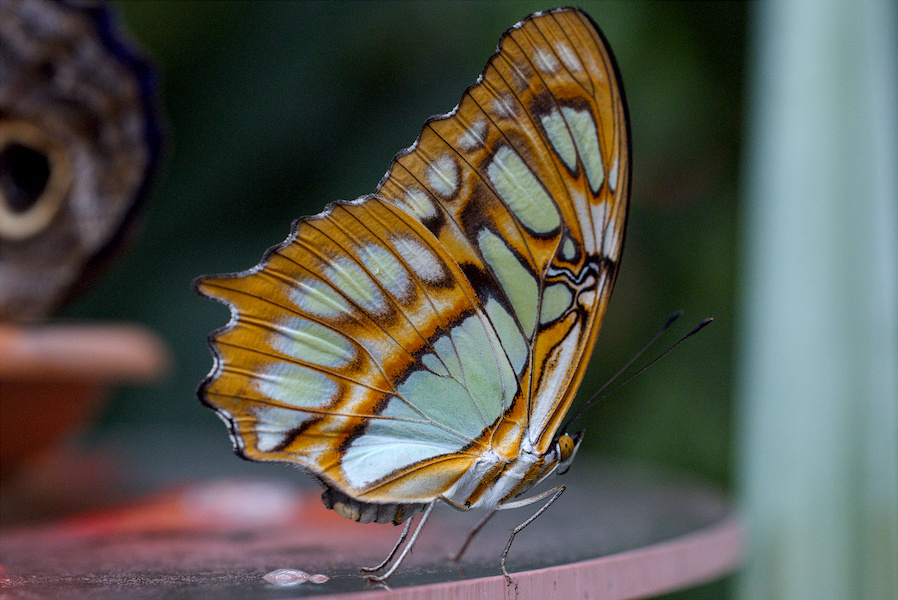
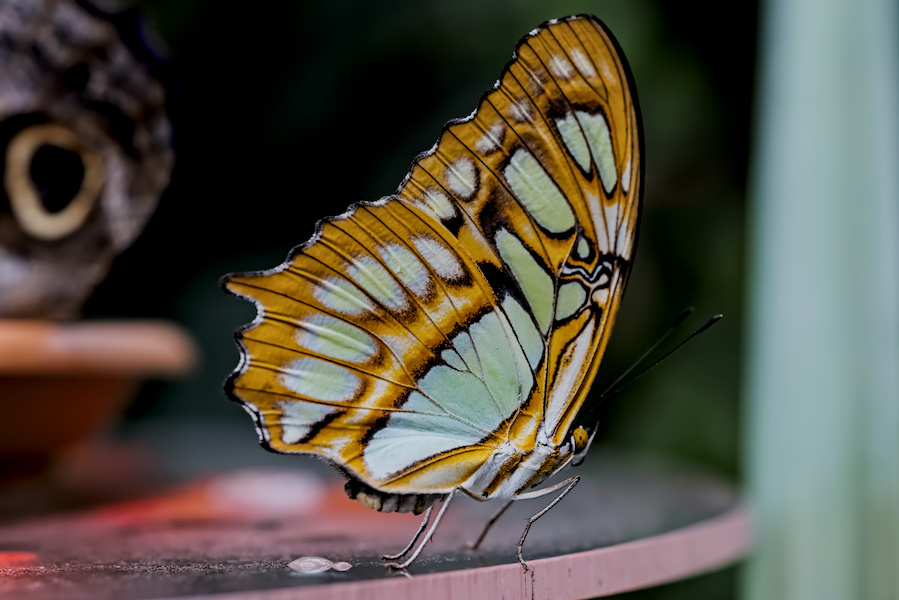
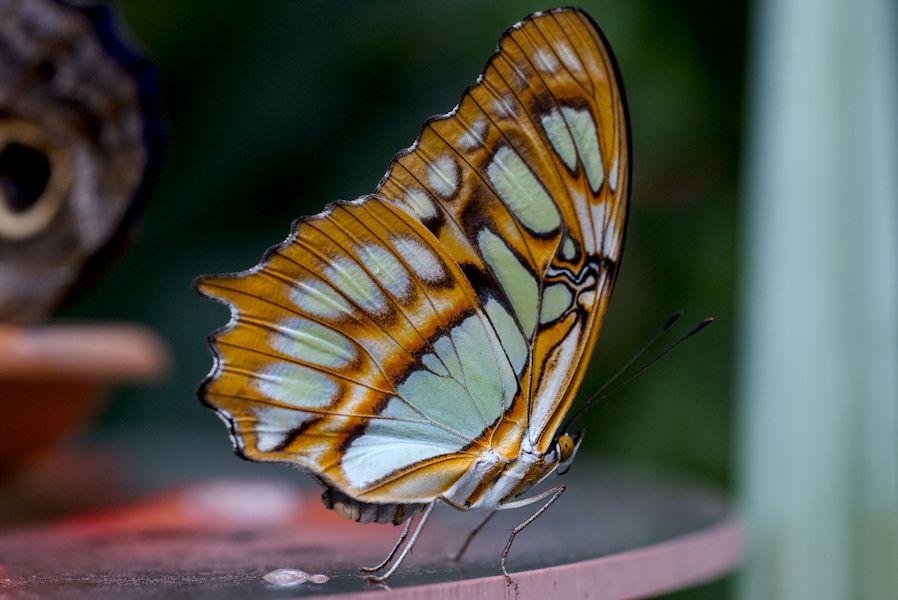
Dieses Beispiel zeigt einen Malachitfalter auf einem Tisch kurz vor dem Abflug. This example shows a Malachite Butterfly on a desk shortly before departure.
Das Photo wurde mit ISO 5000 aufgenommen und der Ausschnitt beinhaltet 92% des Originals. Die image was taken at ISO 5000 and the crop retains 92% of the original.
Schau mich an Look at me
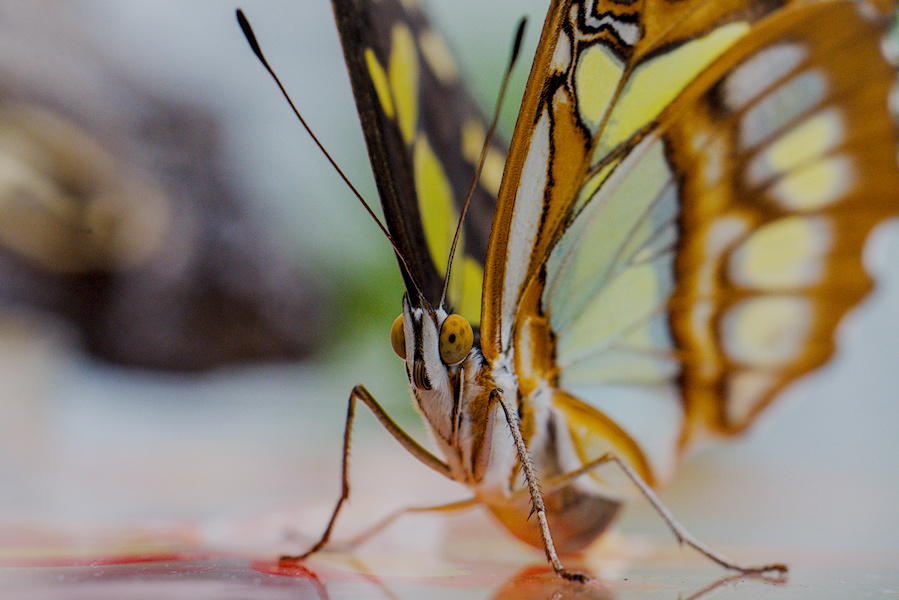
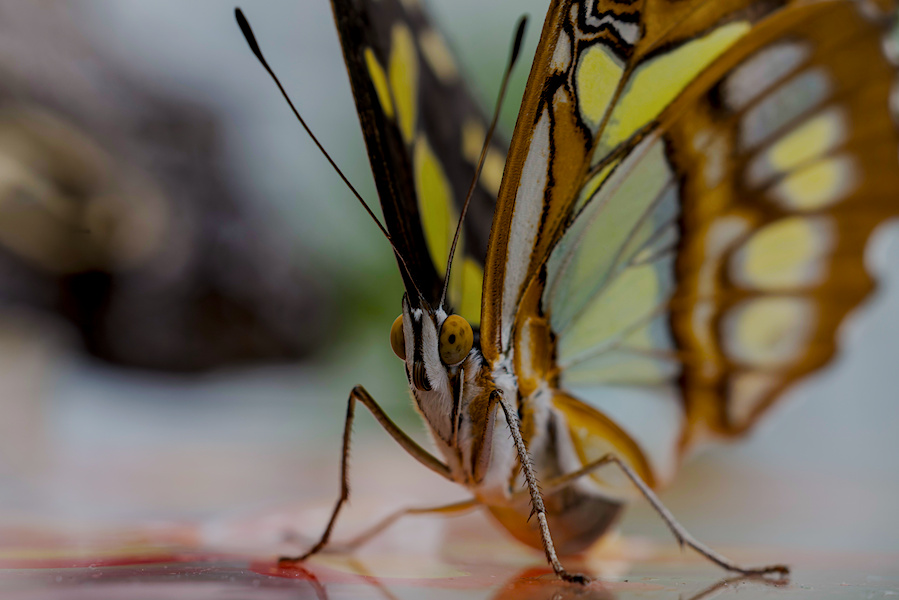
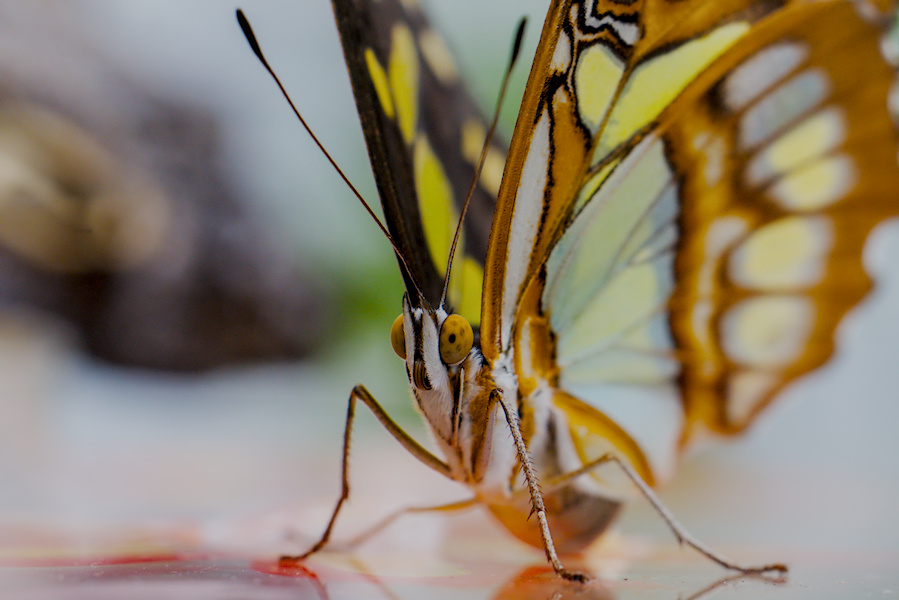
Dieses Beispiel zeigt einen Blick in das Gesicht eines Malachitfalters. This example shows a view into the face of a Malachite Butterfly.
Das Photo wurde mit ISO 1250 aufgenommen und der Ausschnitt beinhaltet 28% des Originals. Die image was taken at ISO 1250 and the crop retains 28% of the original.
Bergauf stehend Standing Uphill
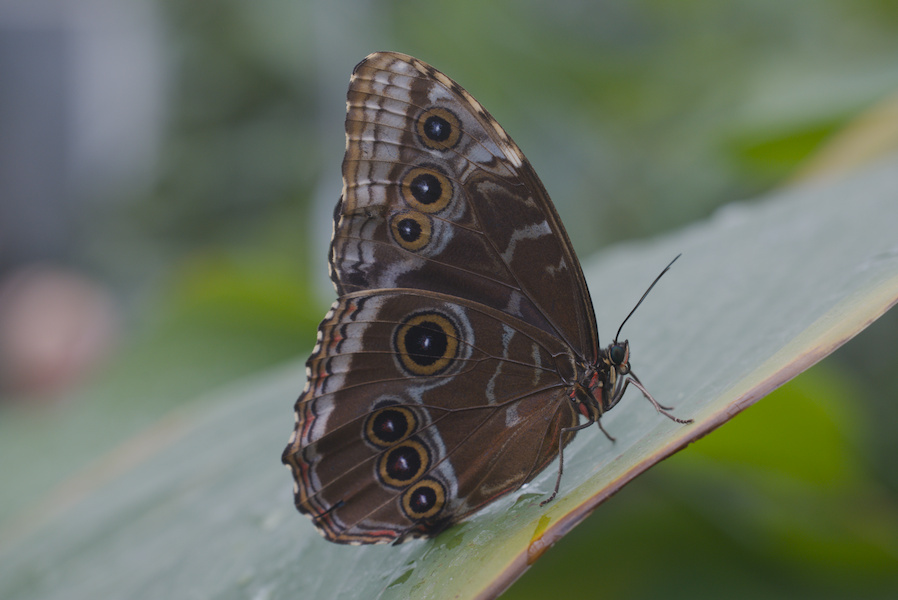
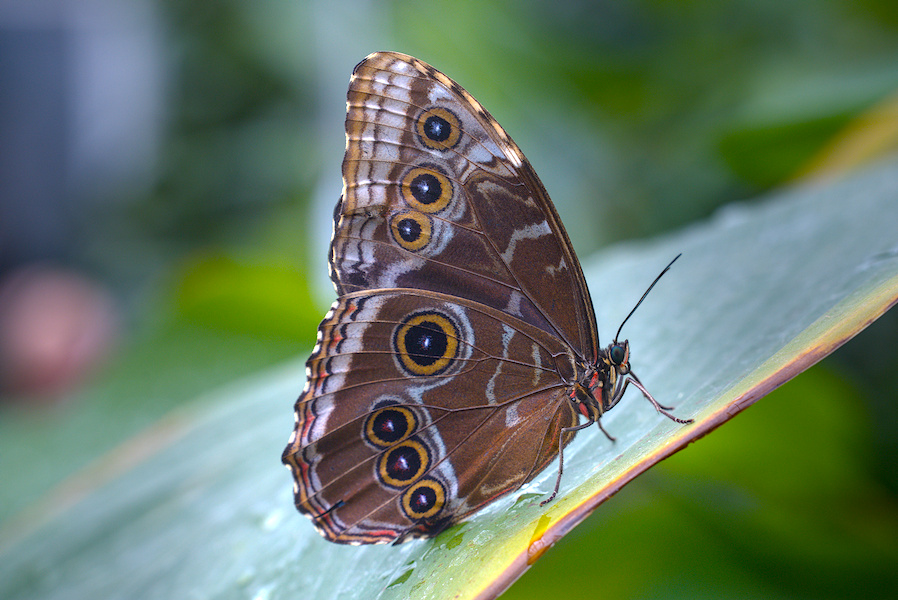
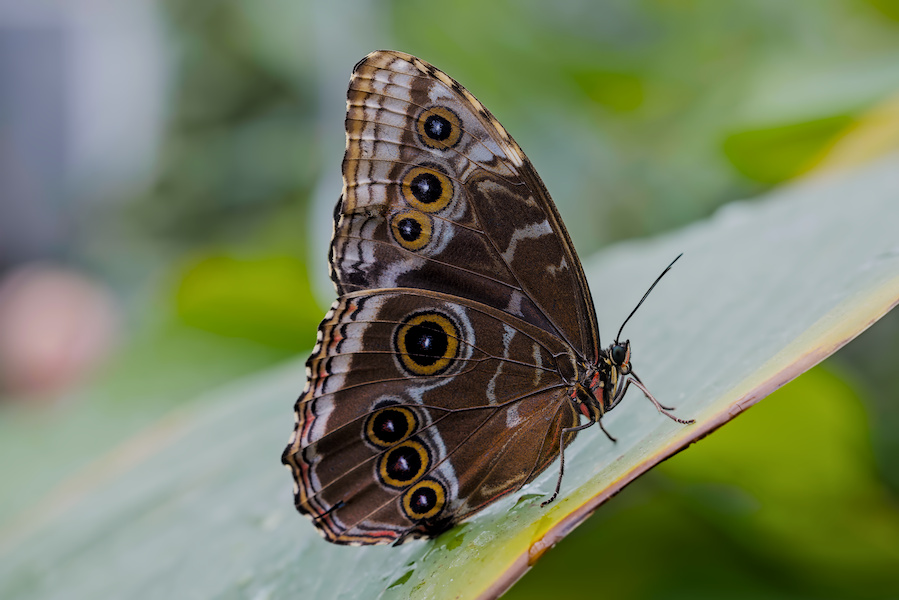
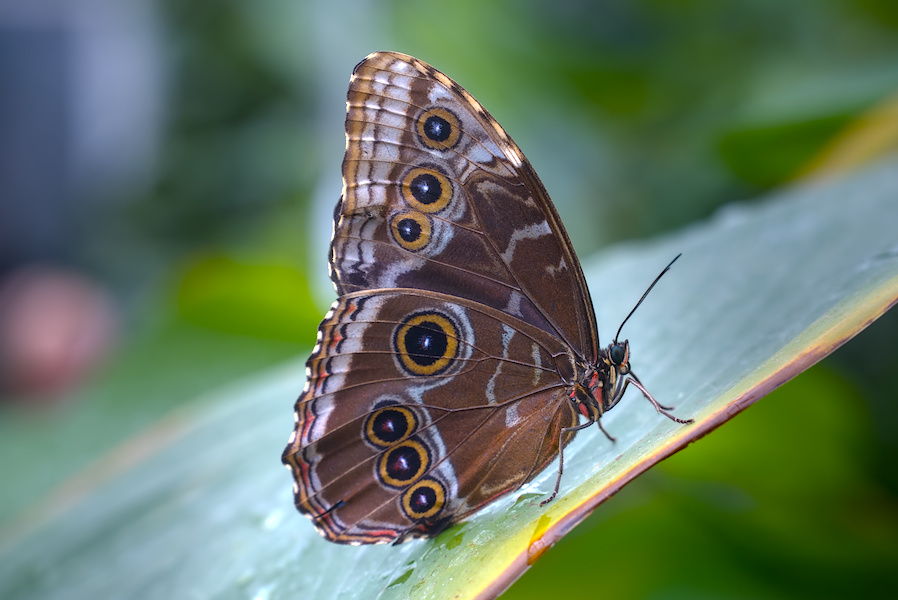
Dieses Beispiel zeigt einen Blauer Morphofalter der 'bergauf' auf einem Blatt steht. This example shows a Blue Morpho Butterfly which stands 'uphill' on a leaf.
Das Photo wurde mit ISO 800 aufgenommen und wurde nicht beschnitten. Die image was taken at ISO 800 and was not cropped.
Ich warte nur Just Waiting
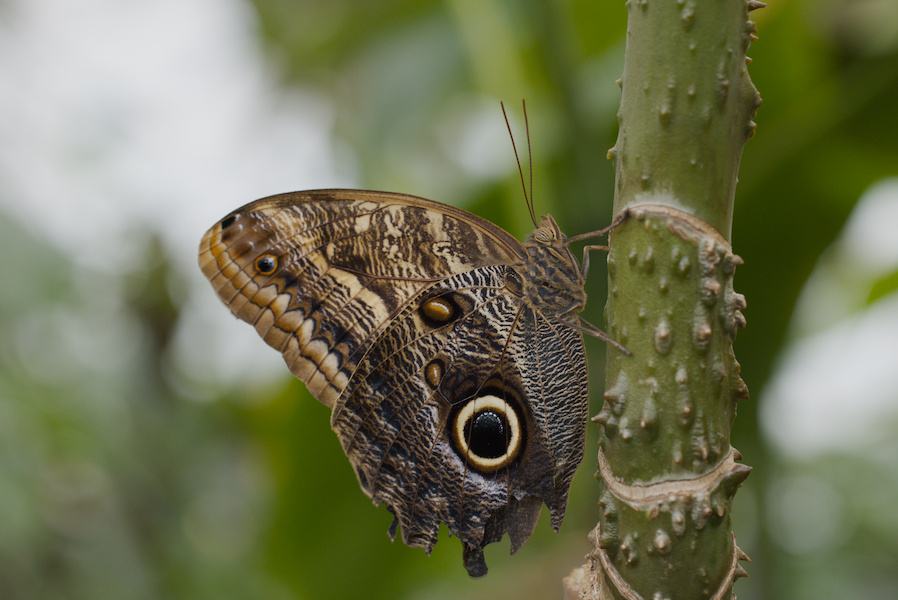
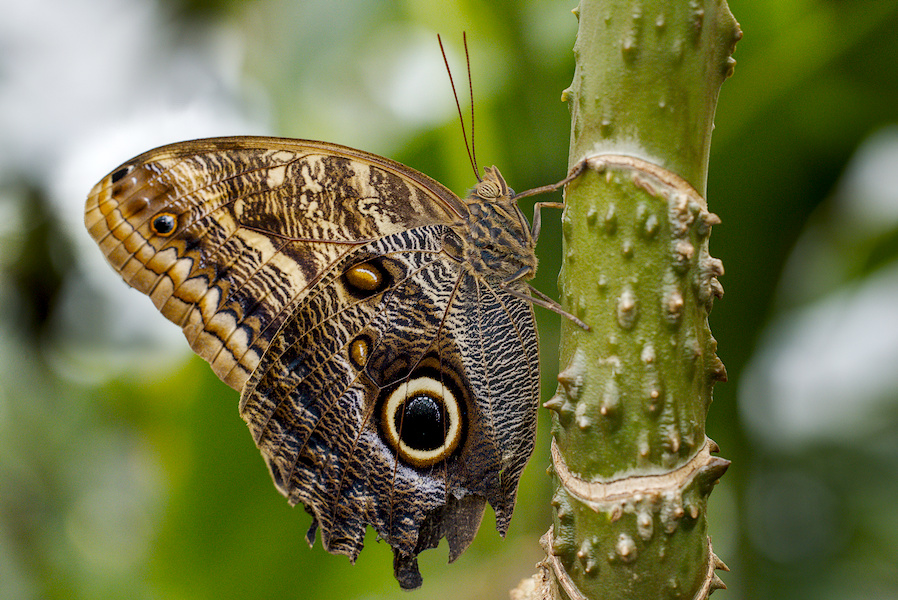
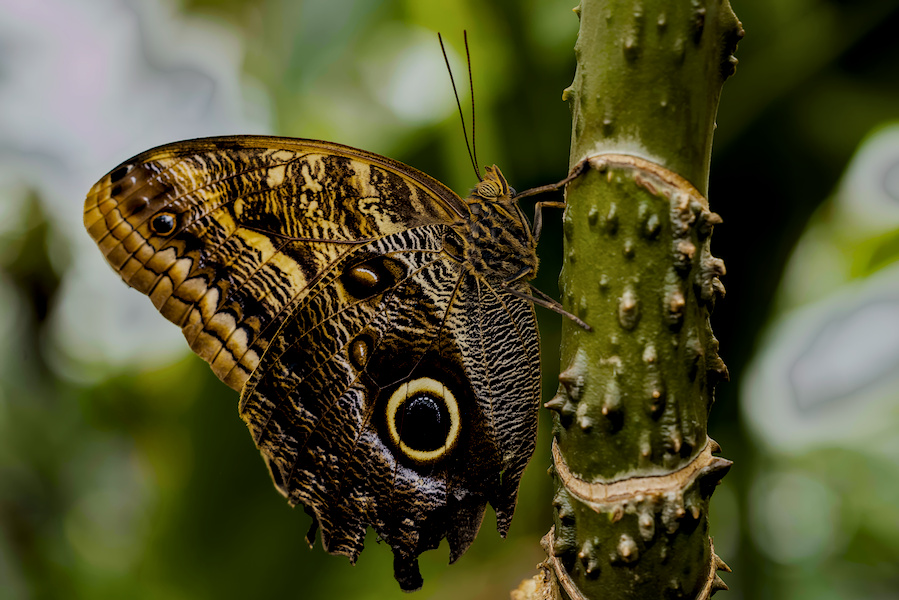
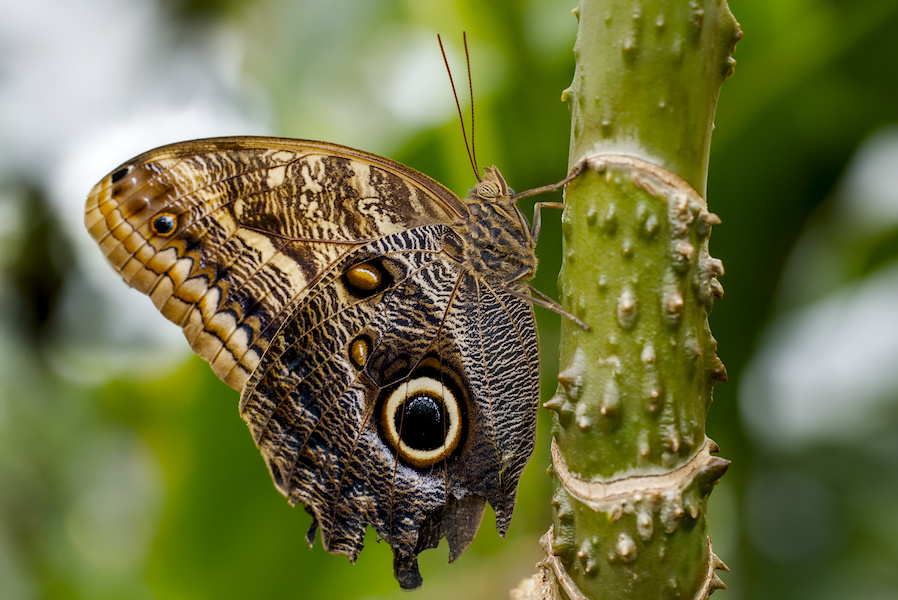
Dieses Beispiel zeigt einen Bananenfalter der an einem Ast hängt. This example shows a Owl Butterfly which hangs from a branch.
Das Photo wurde mit ISO 2500 aufgenommen und der Ausschnitt beinhaltet 75% des Originals. Die image was taken at ISO 2500 and the crop retains 75% of the original.
Mein schöner Rücken My nice back
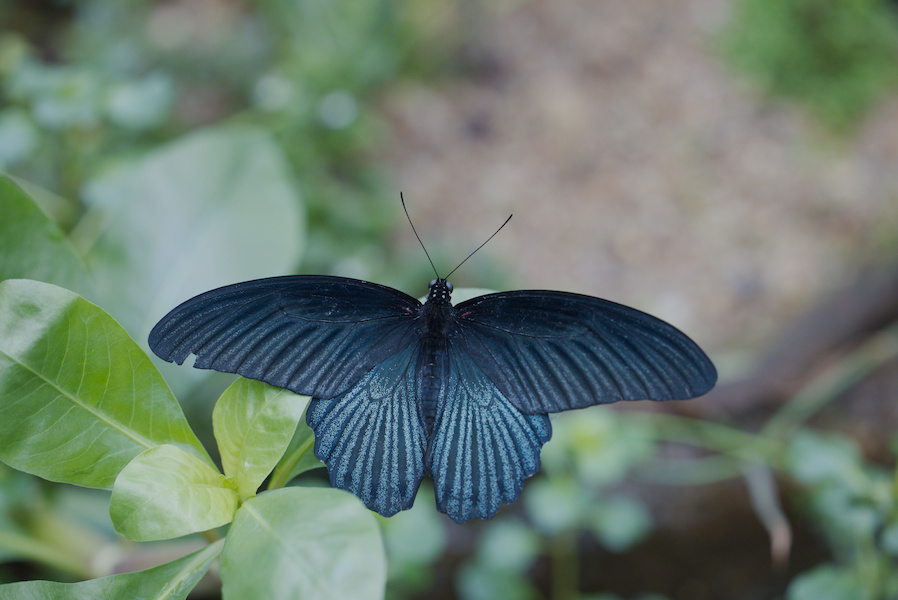
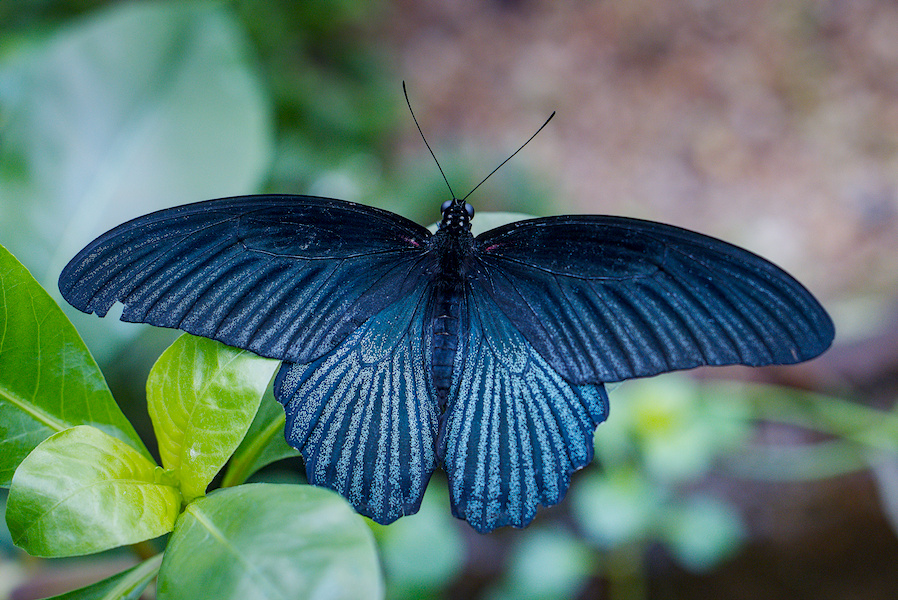
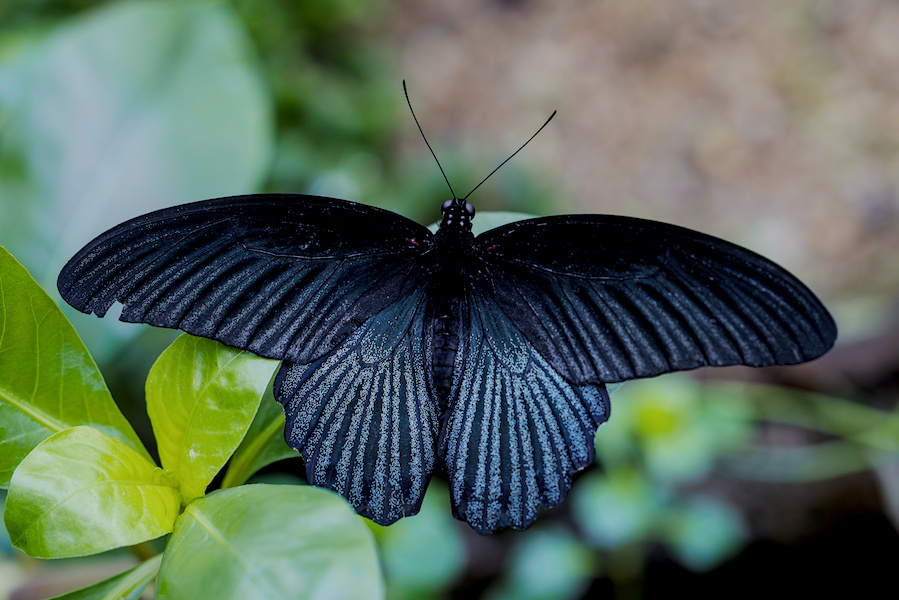
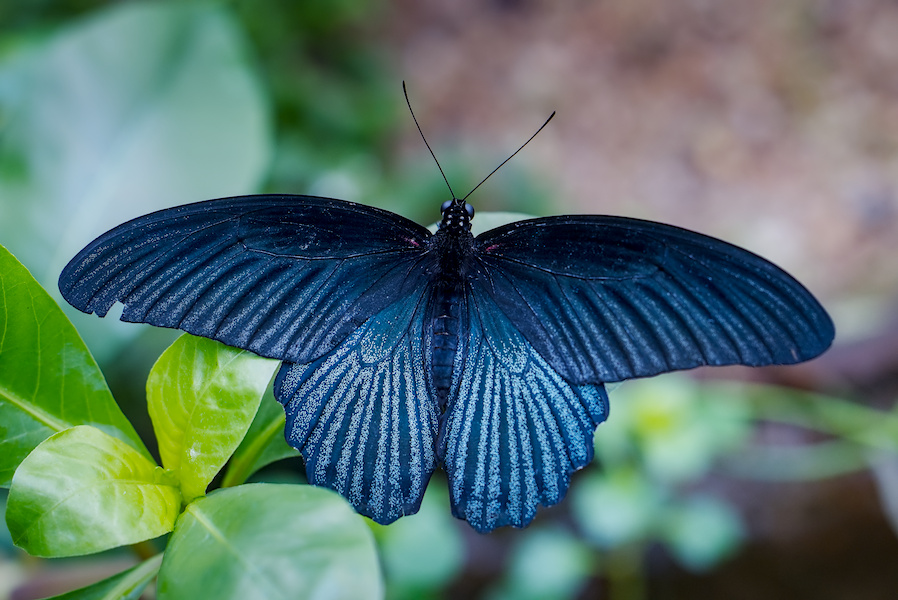
Dieses Beispiel zeigt einen Blick auf den Rücken eines Großen Mormonenfalters der auf einem Blatt sitzt. This example shows a view of the back of a Great Mormon sitting on a leaf.
Das Photo wurde mit ISO 1600 aufgenommen und der Ausschnitt beinhaltet 54% des Originals. Die image was taken at ISO 1600 and the crop retains 54% of the original.
Schwarzäugig Black eyed
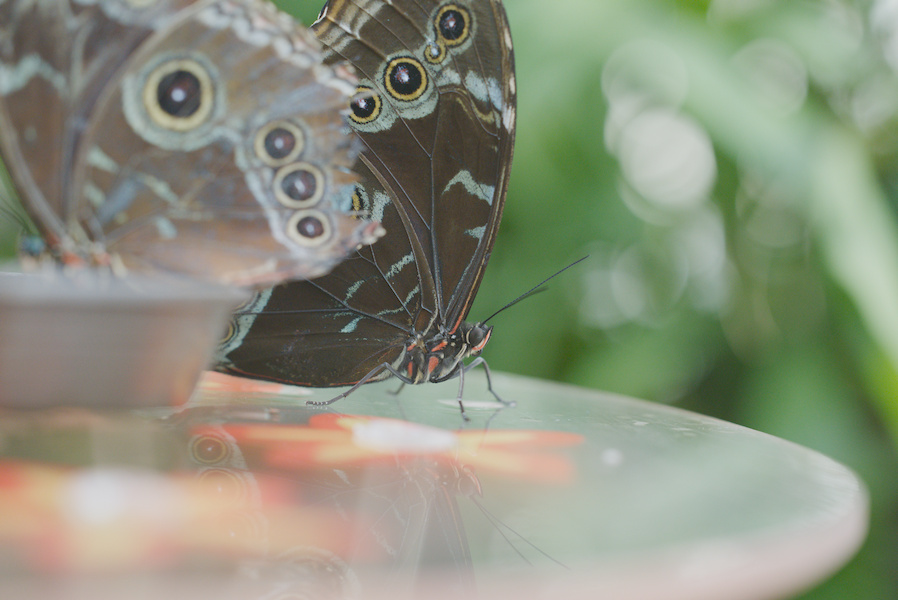
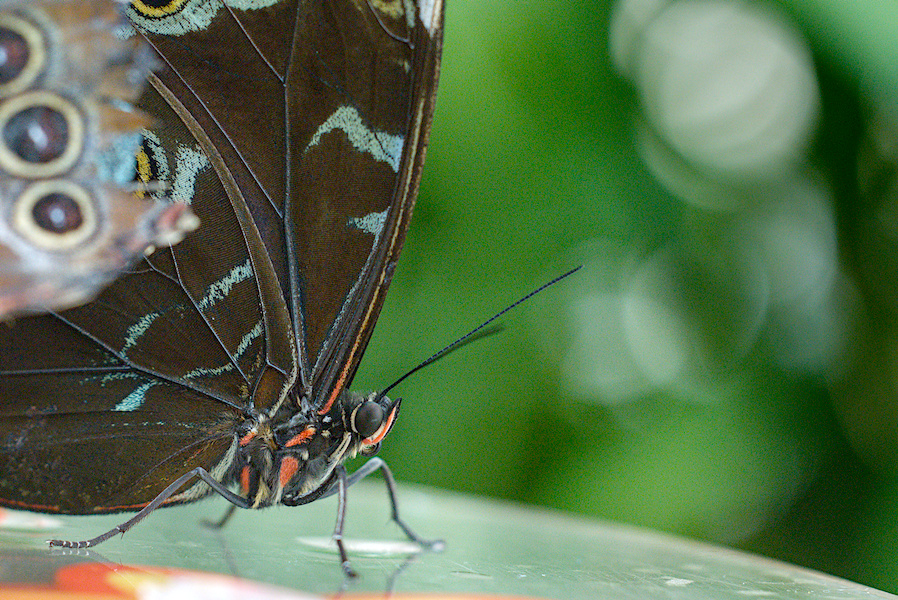
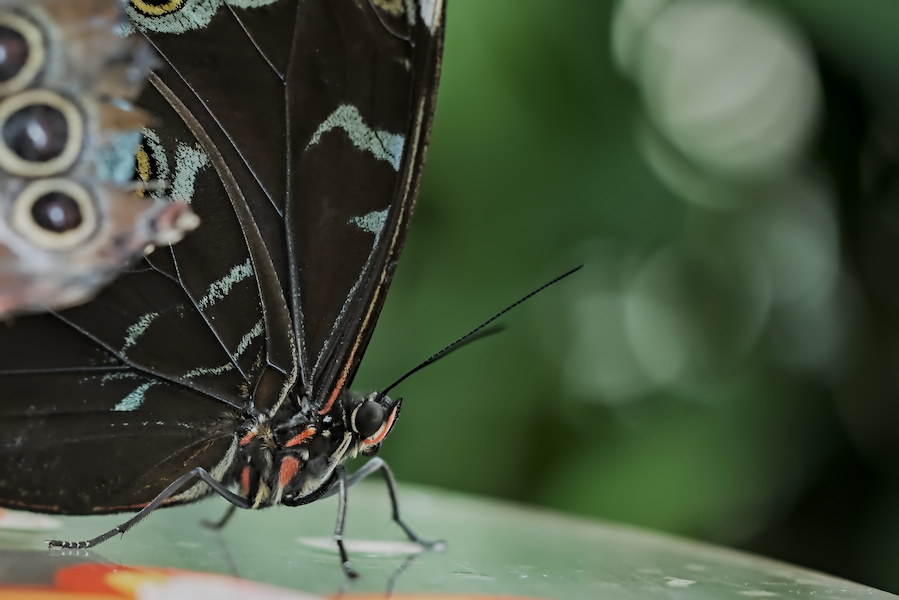
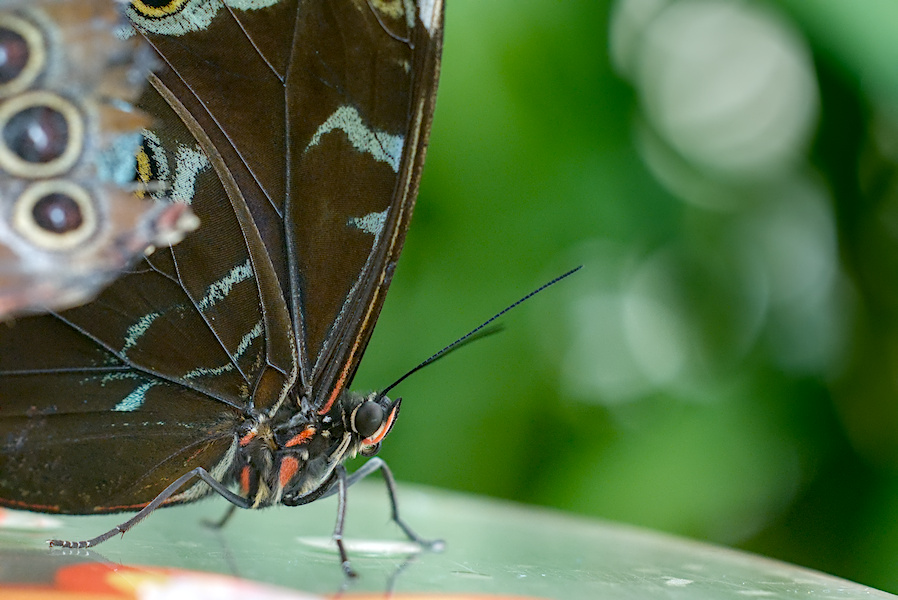
Dieses Beispiel zeigt einen Blauer Morphofalter der auf einem Tisch steht. This example shows a Blue Morpho Butterfly which stands on a desk.
Das Photo wurde mit ISO 4000 aufgenommen und der Ausschnitt beinhaltet 28% des Originals. Die image was taken at ISO 4000 and the crop retains 28% of the original.
Nicht in meiner Liga Not in my league
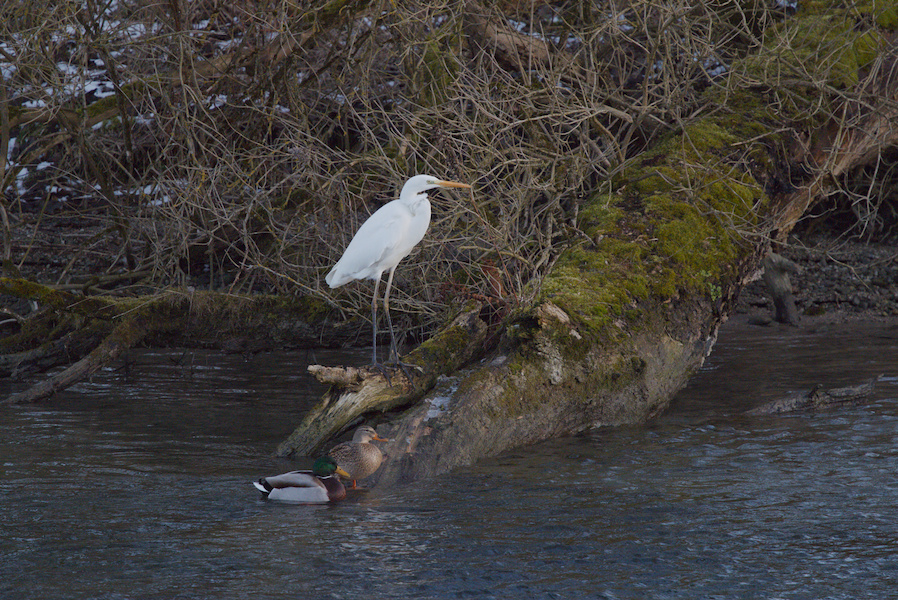
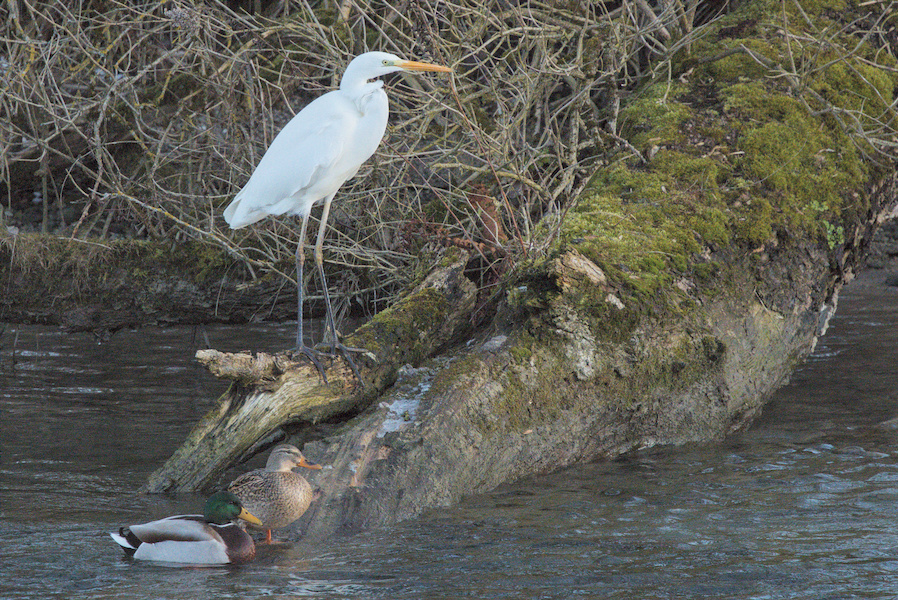
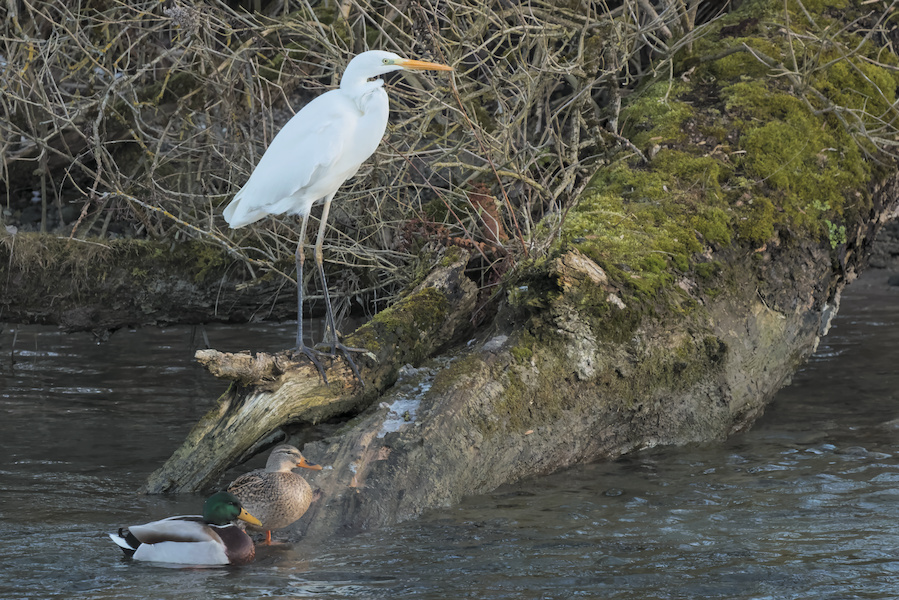
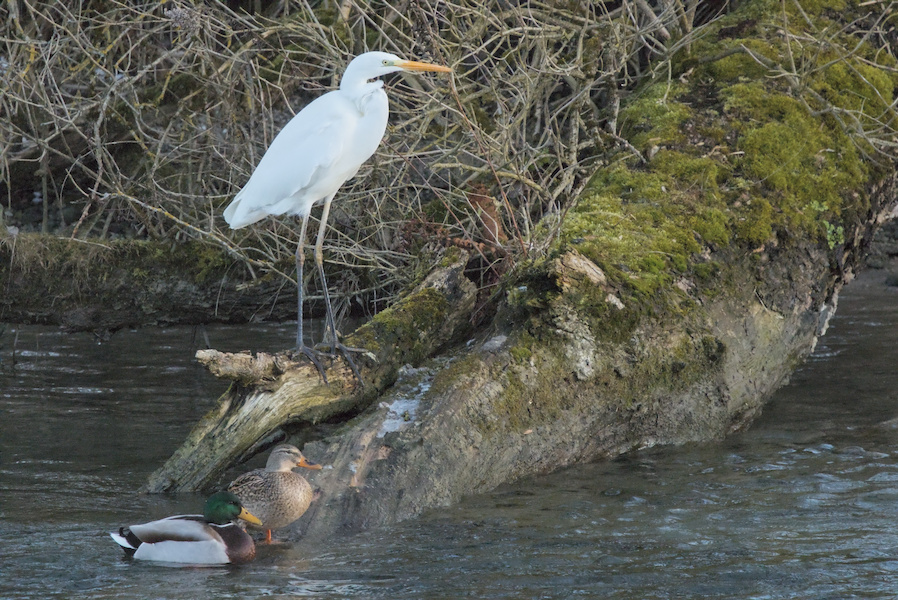
Dieses Beispiel zeigt einen Silberreiher der ein Stockentenpaar, das an 'seinem' Ufer angelandet ist 'ignoriert'. This example shows a Great White Egret who 'ignores' a pair of Mallard Ducks that have landed on 'its' shore.
Das Photo wurde mit ISO 10000 aufgenommen und der Ausschnitt beinhaltet 41% des Originals. Die image was taken at ISO 10000 and the crop retains 41% of the original.
Morgentlicher Gast Morning guest
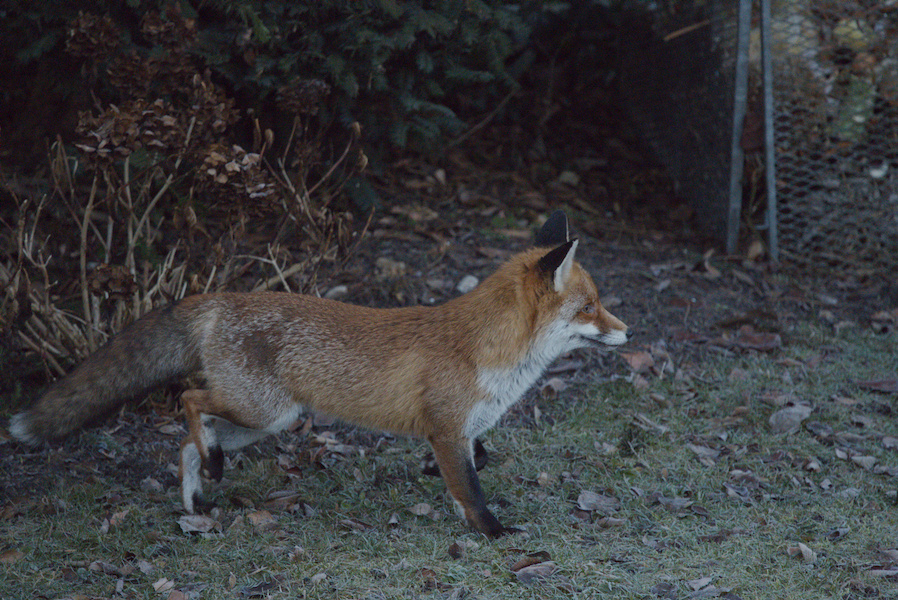
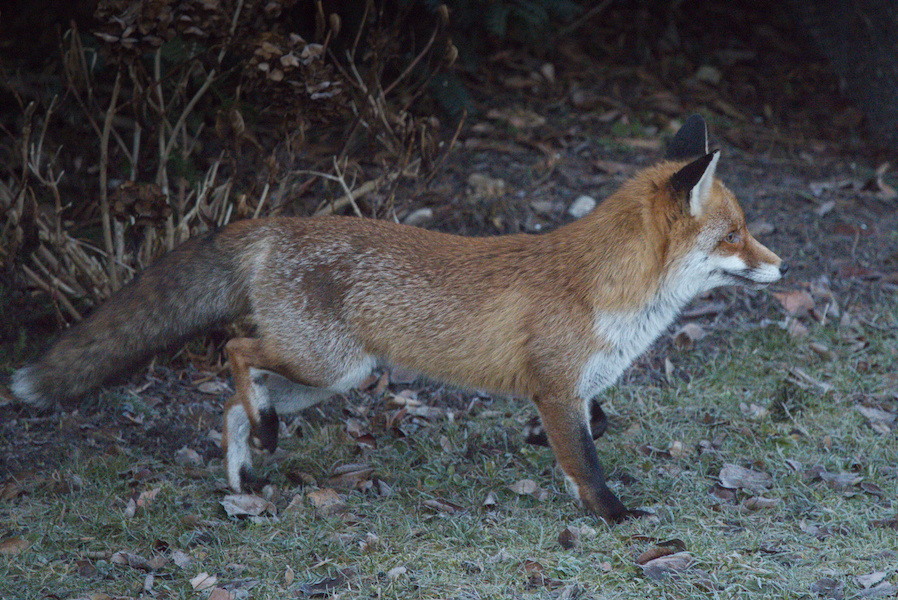
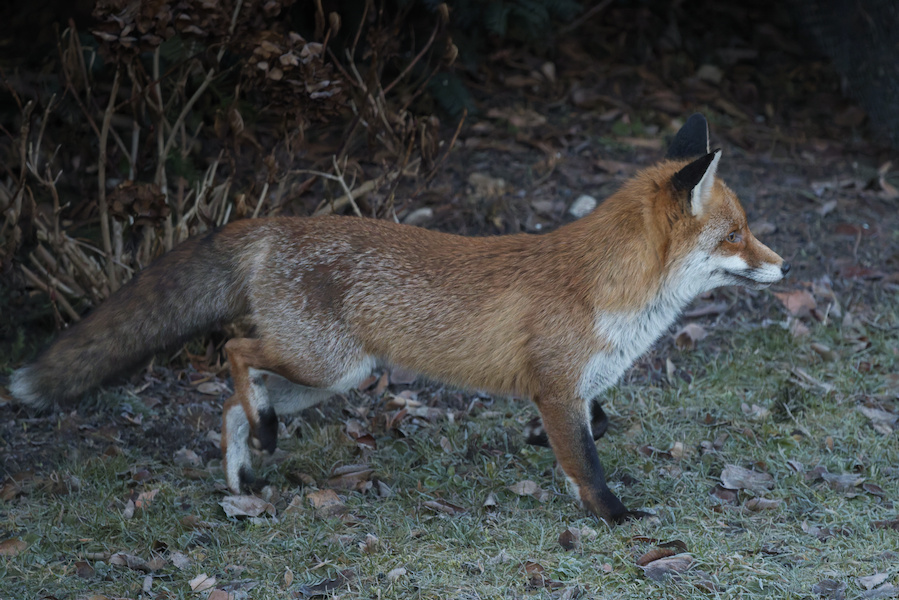
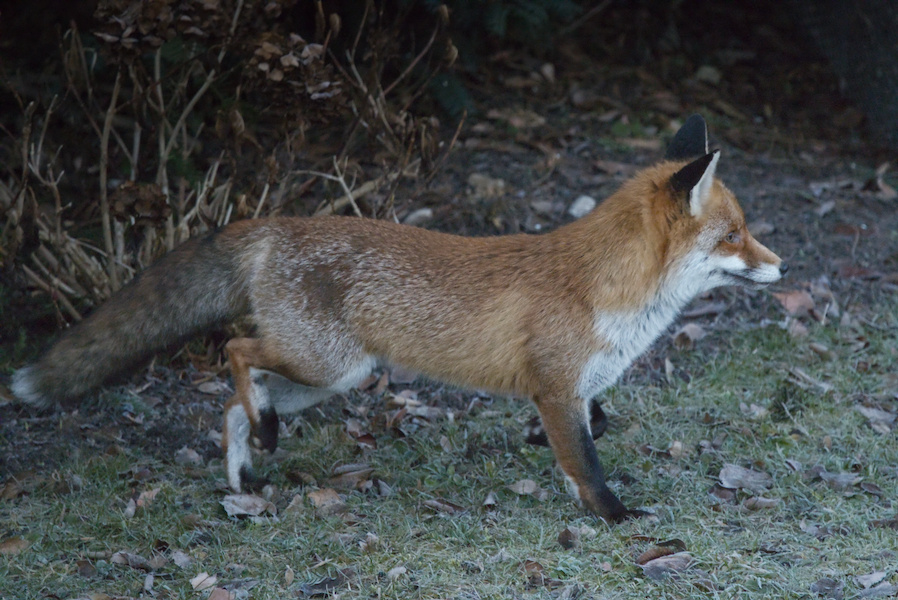
Dieses Beispiel zeigt einen Rotfuchs auf einer Wiese. This example shows a Red Fox on a meadow.
Das Photo wurde mit ISO 12800 aufgenommen und der Ausschnitt beinhaltet 64% des Originals. Die image was taken at ISO 12800 and the crop retains 64% of the original.
Zusammenfassung Summary
Entrauschung und Schärfen mit DxO PureRAW6 kann leicht gesteuert werden und funktioniert sehr gut. Ich nutze es daher in meinem Arbeitsablauf sowohl für Bilder die bei hohen ISO Werten aufgenommen wurden, als auch für Bilder bei niedrigeren ISO Werten, bei denen durch den gewählten engen Bildausschnitt das Rauschen für meinen Geschmack zu deutlich sichtbar ist. Ich finde diese Software für meine Zwecke besser geeignet als Topaz Photo AI. Darum, und auch wegen des kürzlich eingeführten Abonnementmodells von Topaz Labs, benutze ich ab jetzt (Juni 2026) Topaz Photo AI nicht mehr. Denoising and sharpening of images with DxO PureRAW6 can be easily steered and works very well. In my workflow, I thus use it for images taken at high ISO values as well as for images at lower ISO values, for which, after a large crop, the noise is too clearly visible for my taste. I find this software better suited for my tasks than Topaz Photo AI. For this reason, and because of the newly introduced subscription model of Topaz Labs, I have now (June 2026) abandoned the usage of Topaz Photo AI.