darktable darktable
darktable ist eine Open-Source Software zum Organisieren und Entwickeln von Photos. Das Programm beinhaltet einen Dunkelraum (dark) zum Entwickeln und einen Leuchtisch (table) zum begutachten von Photos, daher der Name dark-table. Diese Software ist für Linux, Windows und macOS Betriebssysteme erhältlich. Ich nutze die Version 5.6 für macOS. Die darktable Software hat ein machtvolles Photo-Tagging System und eine große Auswahl von Modulen zur Bearbeitung der Photos. Einmal konfigurierte Gruppen von Modulen können zu sogenannten Stilen zusammengefasst, und dann auf beliebig viele Photos angewendet werden. Wie die Meisten dieser Programme ändert auch darktable das Original Photo nicht, sondern speichert die gemachten Manipulationen in einem sidecar file. Schlussendlich kann das bearbeitete Photo in vielen Formaten abgespeichert werden. darktable is an open source software to organise and develop images. This program contains a dark-room for development and a light-table for examination, hence the name dark-table. This Software is available for Linux, Windows und macOS operating systems. I use Version 5.6 for macOS. The darktable software has a powerful photo-tagging mechanism und a large selection of modules for image manipulation. Once a set of modules has been configured, it can be stored as a style and subsequently this style can be applied to an arbritrary number of images. As most of these programs, also darktable leaves the original photo untouched and stores the manipulations applied into a sidecar file. Finally, a developed photo can be exported in many different file formats.
Detaillierte Beschreibungen der verschieden Module ond Optionen finden sich in der darktable Bedienungsanleitung, die (wie auch die Benutzeroberfläche der Software) in verschiedenen Sprachen erhältlich ist. Es gibt eine ganze Reihe von YouTube Videos über die Nutzung dieser Software. Persönlich habe ich vom Studium der Videos von maikteN Adventures (in Deutsch) sehr profitiert. The various modules and options are described in detail in the darktable Manual, which, as the user interface of the software, is available in several languages. There also exist YouTube videos from various people. I profited a lot from watching the videos by maikteN Adventures (in German).
Ich benutze die darktable Software seit 2024. Nahezu alle Photos in den Photogalerien wurden damit bearbeitet. In darktable benutze ich die empfohlene Szenenbezogene Bearbeitung bei der eine Reihe von Basismodulen beim Import der Photos automatisch ausgeführt wird. Dies sind: RAW-Schwarz-/Weißpunkt, Entrastern, Eingabeprofil, Ausgabeprofil, Weißabgleich, Ausgabekodierung, Spitzlicht-Rekonstruktion, Farbkalibrierung, Belichtung, Filmic RGB und Ausrichtung. I am using the darktable software since 2024. Almost all photos in the Photo Galleries were processed with it. Within darktable I use the recommended Scene-referred workflow, in which a number of basic modules are automatically applied during the image import. These are: Raw black/white point, Demosaic, Input color profile, Output color profile, White balance, Display encoding, Highlight reconstruction, Color calibration, Exposure, Filmic RGB and Orientation.
Für viele Kameras gibt es einen Stil, der in etwa die RAW zu JPG Konversion der Kamera reproduziert. Ausgehend vom in darktable enthaltenen Stil für die Canon R Kameras habe ich mir meine eigenene Stile für die von mir genutzten Kameras erzeugt. Die darin benutzen Module sind: Lokaler Kontrast, Farbkalibrierung, Farbbalance RGB und Filmic RGB. Direkt nach dem Import führe ich den jeweiligen Stil aus. Zusätzlich benutze ich immer das Modul Objektivkorrektur. Für Aufnahmen mit meinen Objektiven zusammen mit Extendern existieren keine Objektiv-Korrekturen. Daher benutze ich hier die Korrektur des jeweilig verwendeten Objektivs. For many cameras there exists styles, which roughly reproduce the RAW to JPG conversion performed within the camera. Starting from the style for the Canon R cameras contained in darktable, I created my own style for each of the cameras I use. The modules used in this are: Local contrast, Color calibration, Color balance RGB and Filmic RGB. The respective style is executed directly after the image import. In addition, I always use the Lens correction module. For images taken with my lenses in combination with extenders, no such lens corrections exist. In this case, I use the correction for the respective lens.
Die erzielten Ergebnisse für einige Beispiele werden unten gesammelt. Hiebei werden nur die zusätzlich zum oben beschriebenen Ablauf benutzen Module erwähnt. The results for a few examples will be collected below. In these only the modules that have been used on top of the above procedure are mentioned.
Die Anordnung der verschiedenen Versionen eines jeden Bildes ist immer gleich, mit den folgenden Inhalten. The order in which the various versions of each photo are shown is identical, with the following contents.
- Als erstes wird die JPG Konversion des original RAW files direkt nach dem Import und ohne Bildzuschnitt gezeigt. Firstly shown is the JPG conversion of the original RAW directly after import and without any cropping.
- Der letzte Vergleich zeigt das Original, aber für den gewählten Bildausschnitt (Original+crp) und das vollständig in darktable entwickelte Photo (darktable). The last comparison shows the original photo, albeit for the chosen crop (Original+crp), and the image fully developed with darktable denoted by (darktable).
Gegebenenfalls werden dazwischen noch weitere Entwicklungsschritte eingefügt. If applicable, intermediate development steps will be inserted inbetween.
Die hier gezeigten Resultate sind nicht als Bewertung der Möglichkeiten der Software bei Anwendung durch einen Experten mit dem vollen Funktionsumfang gedacht. Es ist viel mehr eine Beschreibung dessen was ich mit dieser Software erreicht habe in der Zeit die ich bereit war darin zu investieren. The results shown here are not meant as an assessment of what can be achieved by experts using the full capabilities of the software. It merely is a description of what I personally have achieved, given the amount of time I was willing to invest into it.
Auf dem Stein On the rock
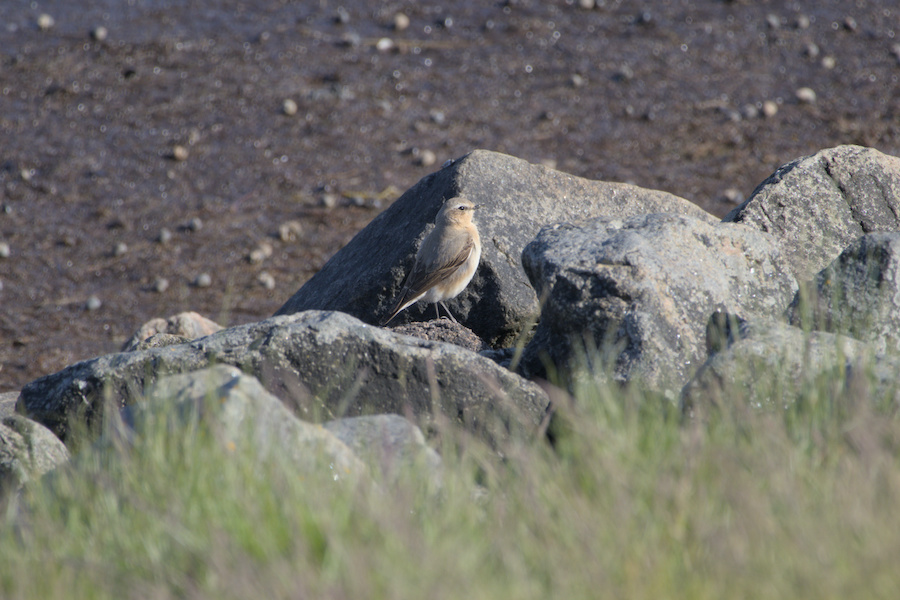
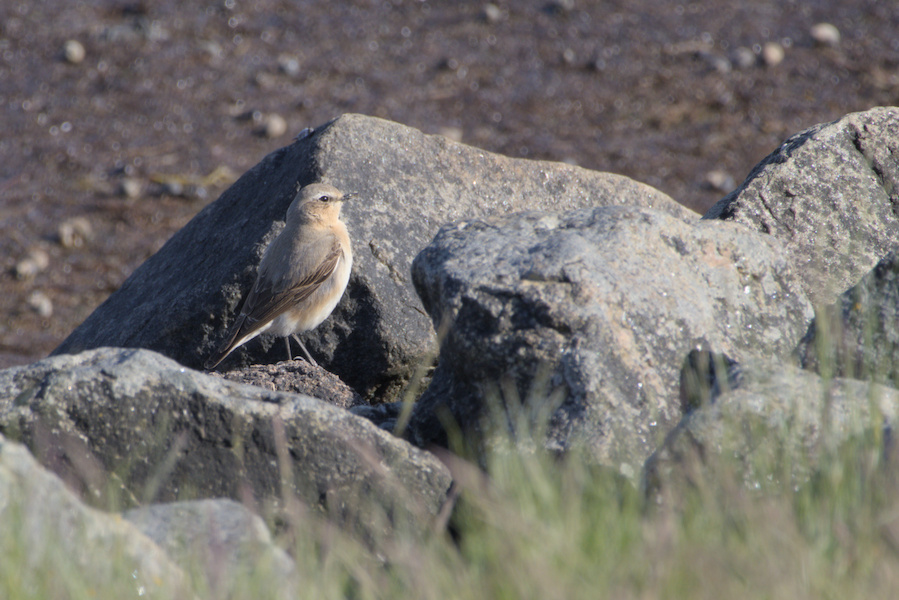
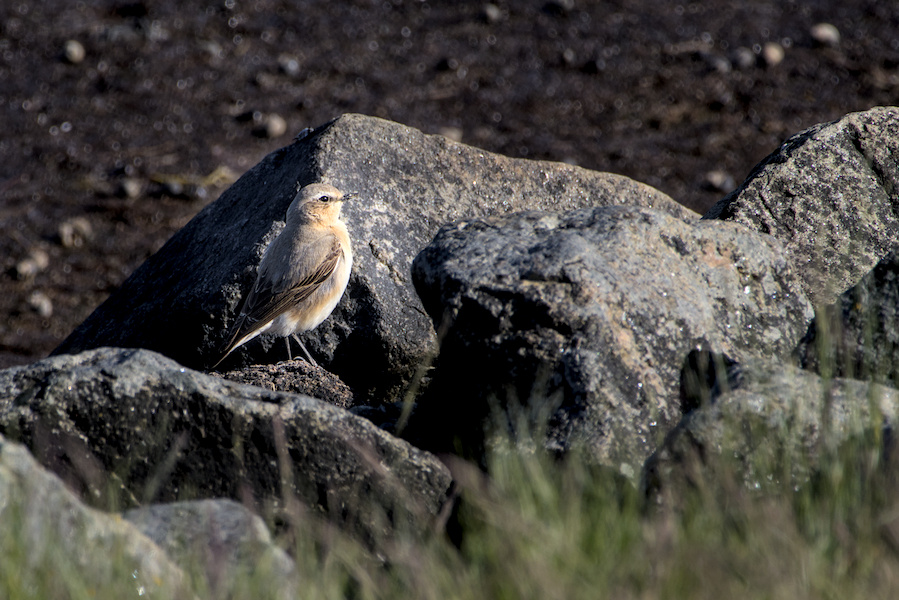
Dieses Beispiel zeigt einen Steinschmätzer auf einem Stein. Das Original wurde mit mittenbezogener Belichtung aufgenommen. Dadurch ist der Stein im Vergleich zum Vogel etwas zu hell belichtet worden. Durch die Anwendung einer gezeichneten Maske die den Vogel selektiert, und die Reduzierung der Beleuchtung außerhalb der Maske mit dem Modul Belichtung, ist der Vogel danach prominenter zu sehen. Zusätzlich wurde noch mit dem Modul Lokaler Kontrast der Kontrast erhöht, und der Vogel wurde mit dem Modul Schärfen ein wenig geschärft. Danach ergibt sich ein stimmigeres Bild. This example shows a Northern Wheatear on a rock. The original image was taken with center-weighted metering. With this, the stone appears too bright with respect to the bird. Applying a drawn mask that selects the bird, and reducing the illumination outside of it with the Exposure module, the bird appears more prominently. In addition, the contrast was increased with the Local contrast module and the bird was somewhat sharpened using the module Sharpen. The result is a more consistent image.
Meinen Rücken wärmend Warming My Back
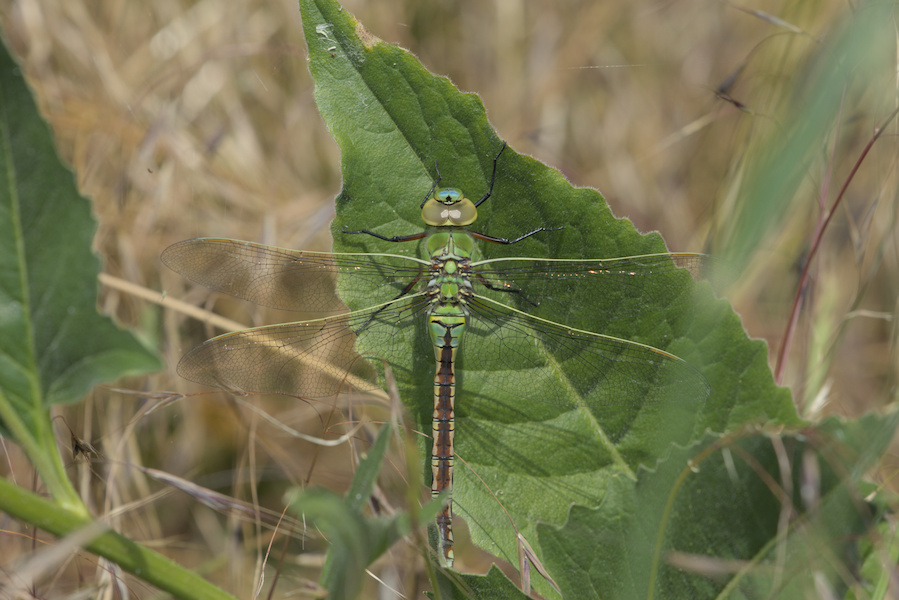

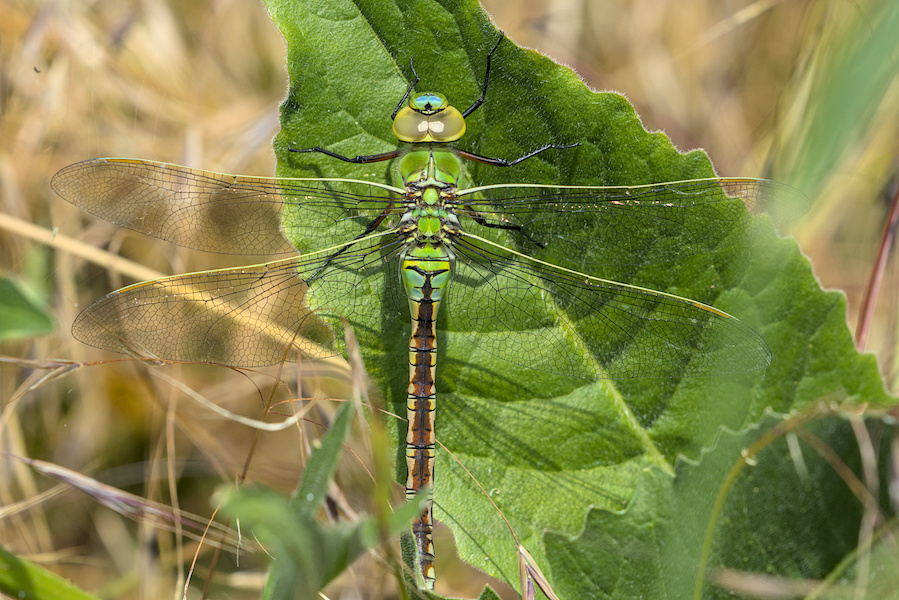
Dieses Beispiel zeigt eine Prachtlibelle auf einem Blatt in der Sonne. Das Original ist schon recht scharf, hat aber ein klar sichtbares Rauschen. Mit einer gezeichneten Maske wurde die Prachtlibelle auswäht. Nach Inversion der Maske, wurde das Rauschen des Hintergrunds mit dem Modul Entrauschen (Profil) reduziert. Die Prachtlibelle wurde mit dem Modul Diffusion / Schärfe noch leicht geschärft und ihr Kontrast wurde mit dem Modul Lokaler Kontrast erhöht. Im Endresultat ist das Rauschen reduziert, das Bild viel kontrastreicher und die Flügel zeigen eine viel klarere Struktur. This example shows a Demoiselle on a leaf in the sun. The original photo is already quite sharp, but contains a clearly visible noise. The Demoiselle was selectedd with a drawn mask. After inversion, the noise in the background was reduced by the Denoise (profiled) module. The Demoiselle was also slightly sharpened using the module Diffuse or sharpen and its contrast was increased with the Local contrast module. In the final result, the noise is reduced, the image has much more contrast and the wings show a much clearer structure.
Ein Auge of dich An eye on you
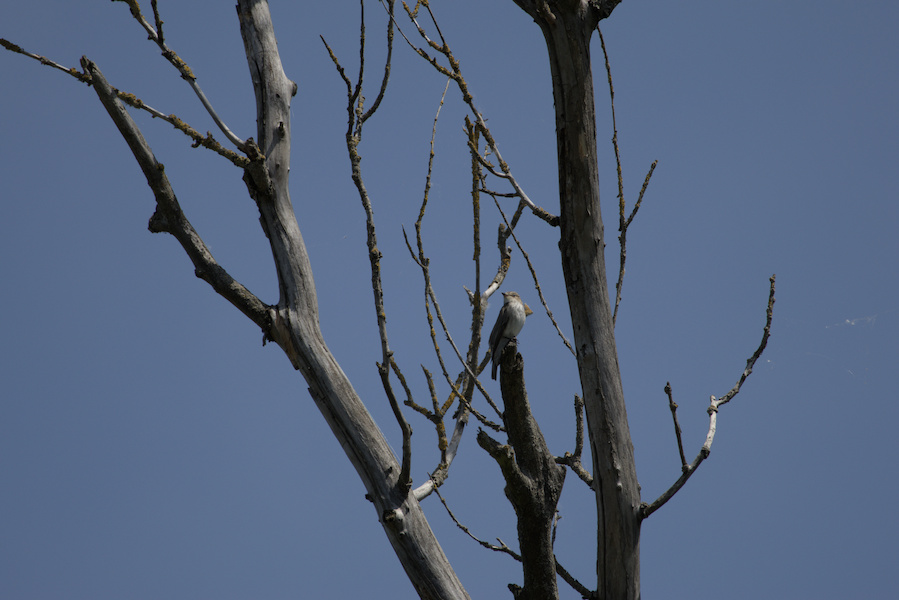
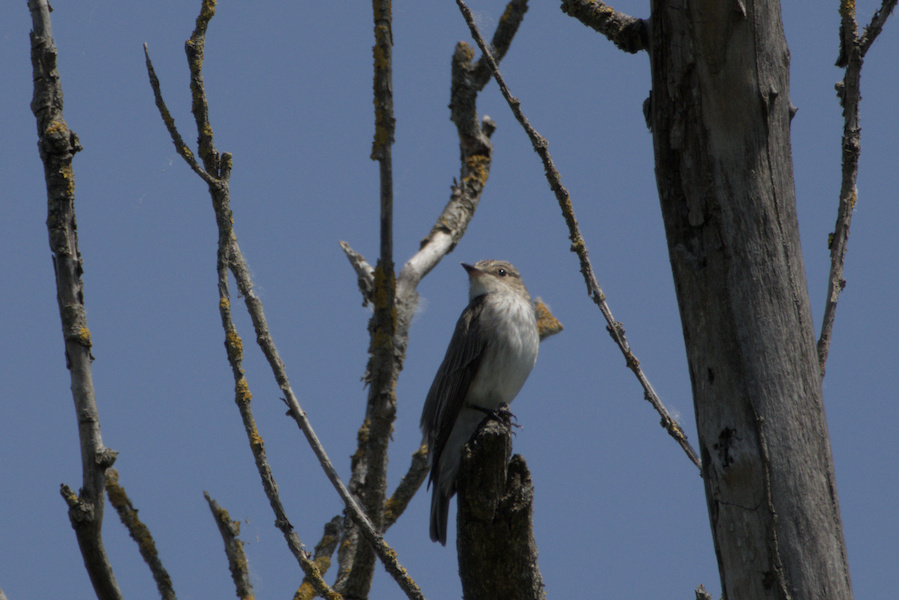
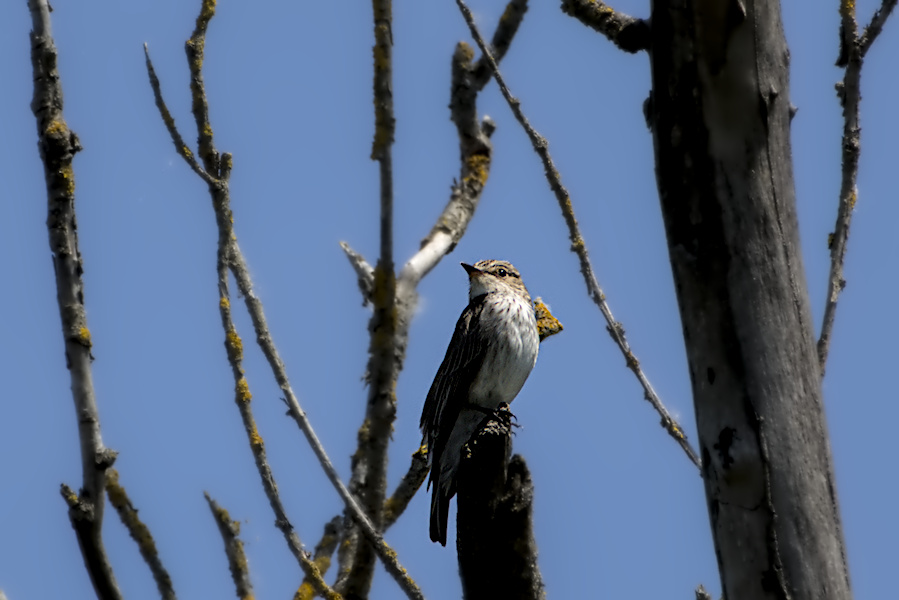
Dieses Beispiel zeigt einen weit entfernten Grauschnäpper auf einem Baum der nur einen kleinen Teil des Bildes einnimmt. Da Entrauschen unweigerlich Unschärfe erzeugt, wurde der Vogel mit einer gezeichneten Maske ausgewählt. Diese Maske wurde invertiert und mit den Modulen Entrauschen (Profil) so wie Kontrast-Equalizer, sowohl das Chroma- als auch das Luma-Rauschen im Rest des Bildes reduziert. Zum Schluss wurde unter Anwendung der Maske des Vogels nur der Vogel mit dem Modul Diffusion / Schärfe mit Hilfe des Demosaicing-Algorithmus mit AA Filters ein wenig geschärft, und sein Kontrast wurde mit dem Modul Lokaler Kontrast erhöht. Im Endresultat ist der Vogel wesentlich schärfer und das Rauschen ist deutlich niedriger. This example shows a distant Spotted Flycatcher on a tree that only occupies a small part of the image. Given denoising inevitable indroduces blurriness, the bird was selected by a drawn mask. This mask was inverted and using the modules Denoise (profiled) as well as Contrast equalizer, the chroma- as well as the luma noise of the remaining image was reduced. Finally, applying the bird mask, only the bird was sharpened using the module Diffuse or sharpen with the help of the demosaicing algorithm with an AA filter, and its contrast was increased with the Local contrast module. In the final result, the bird is much sharper and the noise is significantly lower.
Keine Kopie Not a copy
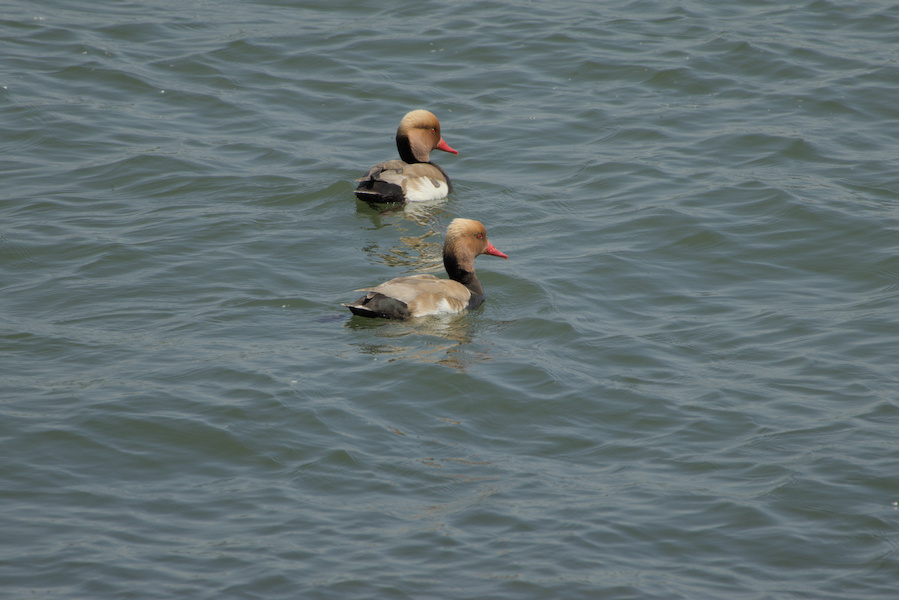
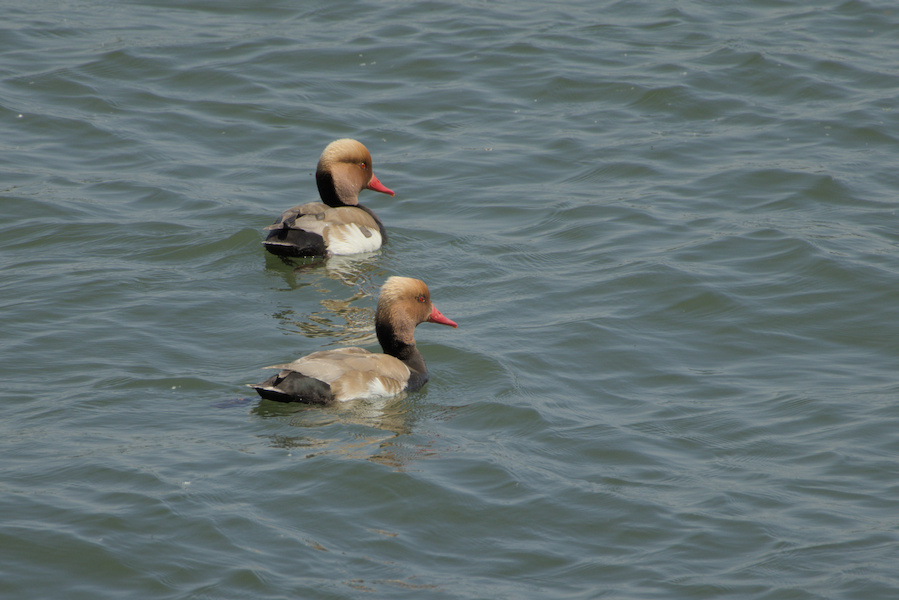
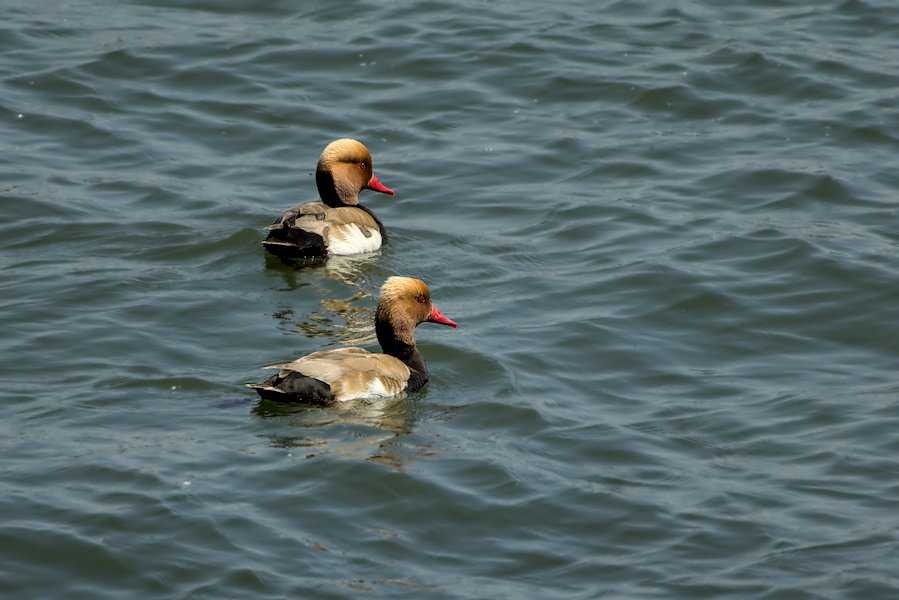
Dieses Beispiel zeigt zwei Kolbenenten auf einem See Die Entwicklung war analog zum Grauschnäpper, wobei für jeden Vogel eine eigene gezeichnete Maske genutzt wurde. Nach Maskeninvertierung erfolgte das Entrauschen mit den Modulen Entrauschen (Profil) und Kontrast-Equalizer. Mit Hilfe der Masken erfolgte eine Kontrast Erhöhung der Vögel mit dem Modul Lokaler Kontrast und Schärfen mit dem Modul Diffusion / Schärfe. Zum Schluß wurden die Farben noch etwas intensiviert. Im Endresultat sind die Kolbenenten farbenreicher und etwas schärfer. This example shows two Red-crested Pochards on a lake. The development was as for the Spotted Flycatcher, albeit with using one drawn mask per bird. After inversion of the masks, denoising was performed with the modules Denoise (profiled) and Contrast equalizer. Using the masks, the contrast of the birds was inccreased with the Local contrast module and they were sharpened with the Diffuse or sharpen module. Finally, the colours were slightly intensified. In the final result the Red-crested Pochards are more colourful and sharper.
Mein Snack My Snack
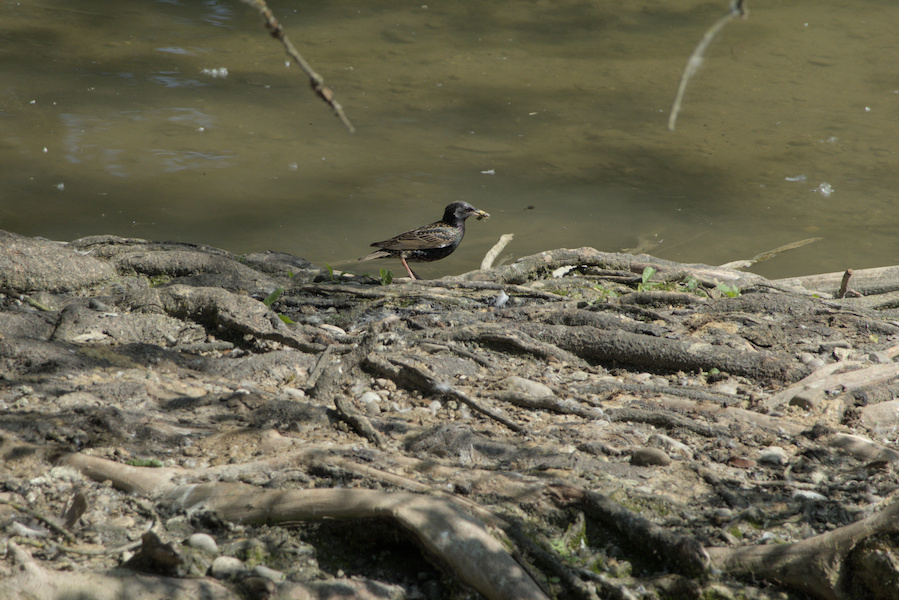
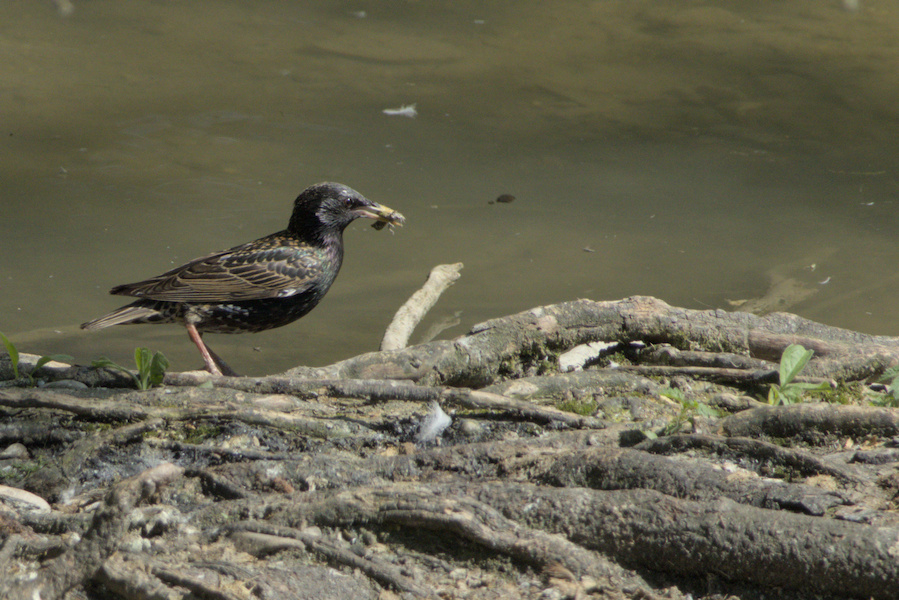
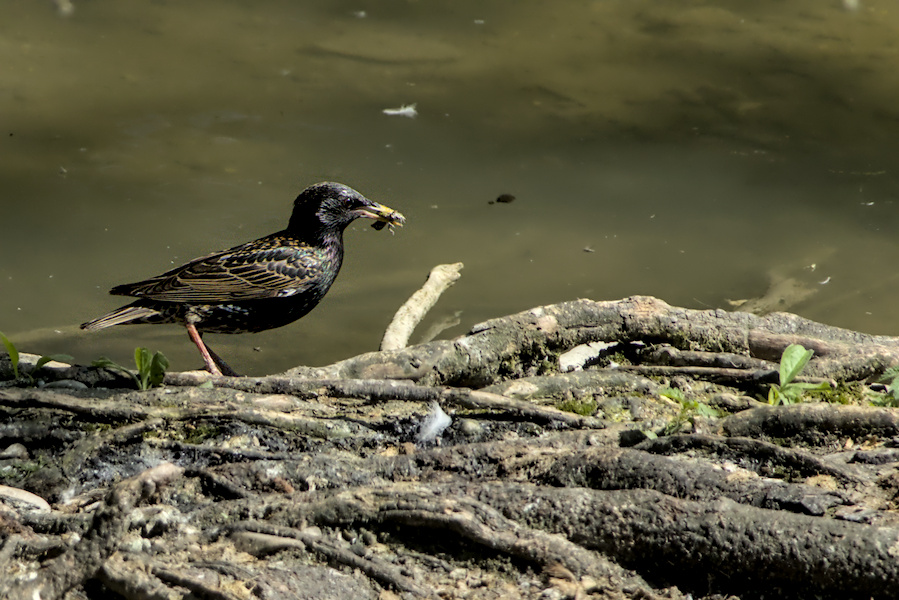
Dieses Beispiel zeigt einen Star am Wasser mit seinem Fang. Bei einer Empfindlichkeit von ISO 2500 und starker Vergrößerung ist ein sehr deutliches Rauschen sichtbar und der Vogel ist nicht ganz scharf. Der Kontrast wurde erhöht, das Photo entrauscht und schließlich geschärft. Hierbei wurden die gleichen Module wie für den Grauschnäpper genutzt. Im Endresultat sind die Farben viel deutlicher, das Rauschen ist stark reduziert, aber eine Restunschärfe bleibt. This example shows an European Starling by the water with its catch. At a sensitivity of ISO 2500 and large magnification, a clear noise is visible and the bird is not completely sharp. The contrast was increased, the noise reduced and the bird was sharpened. For this, the same modules as for the Spotted Flycatcher were used. In the final result the colours are more apparent, the noise is strongly reduced, however some blurriness remains.
Zu Tisch A table


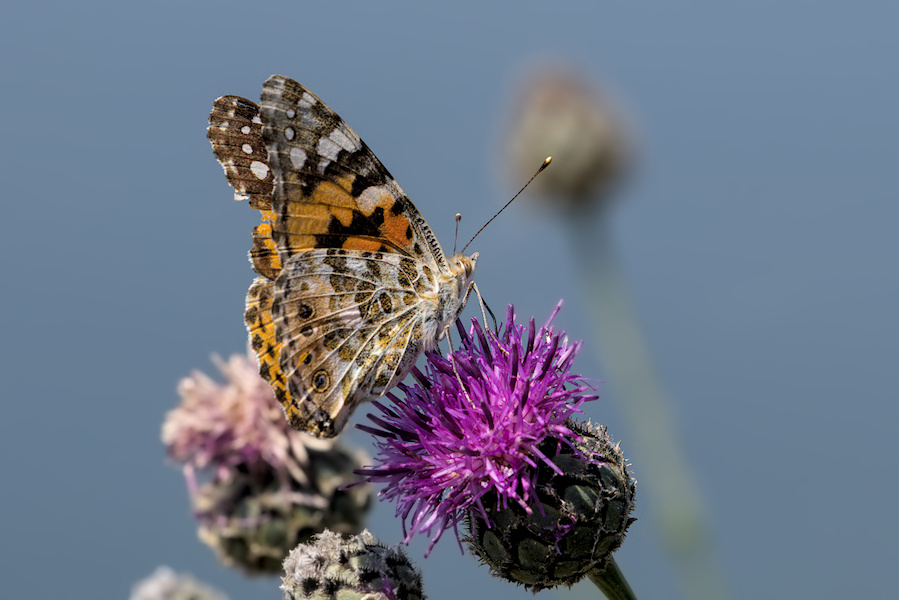
Dieses Beispiel zeigt einen Diestelfalter auf einer Blüte einer Flockenblume. Der Kontrast wurde erhöht, das Photo entrauscht und schließlich der Diestelfalter geschärft. Es wurden die gleichen Module wie für den Grauschnäpper genutzt. Die hierbei genutzte gezeichnete Maske umschloß den Falter und auch die Blüte auf der er sitzt, damit diese beim Entrauschen nicht unschärfer wird. Im Endresultat sticht der Diestelfalter viel mehr hervor. Er hat schönere Farben und ist wesentlich schärfer. Auch das Rauschen ist reduziert und der Hintergrund ist viel sanfter. This example shows a Painted Lady sitting on a blossom of a knapweed. The contrast was increased, the noise reduced and the butterfly was sharpened. For this, the same modules as for the Spotted Flycatcher were used. In this case, the drawn mask contained the Painted Lady and also the blossom on which it sits, sucht that the blossom does not get blurred when denoising. In the final result, the Painted Lady sticks out much more prominently. It has nicer colours and is sharper. Also the noise is reduced, resulting in a softer background.
Ein wenig Sonne A little bit of sun


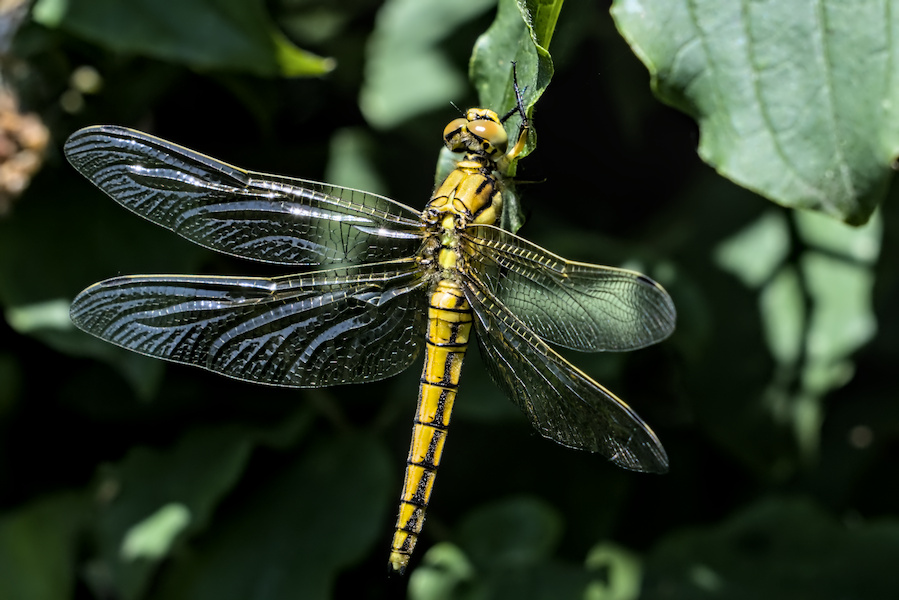
Dieses Beispiel zeigt erneut eine Prachtlibelle auf einem Blatt in der Sonne. Auch hier ist das Original schon recht scharf, hat aber ein klar sichtbares Rauschen. Die Entwicklung erfolgte wie bei der obigen Prachtlibelle. Im Endresultat ist das Rauschen stark reduziert und die Flügel zeigen eine viel klarere Struktur. This example again shows a Demoiselle one a leaf in the sun. Also in this case, the original photo is already quite sharp, but contains a clearly visible noise. The development was performed in the same way as for the above Demoiselle. In the final result, the noise is strongly reduced and the wings show a much clearer structure.
Nach der Arbeit After work
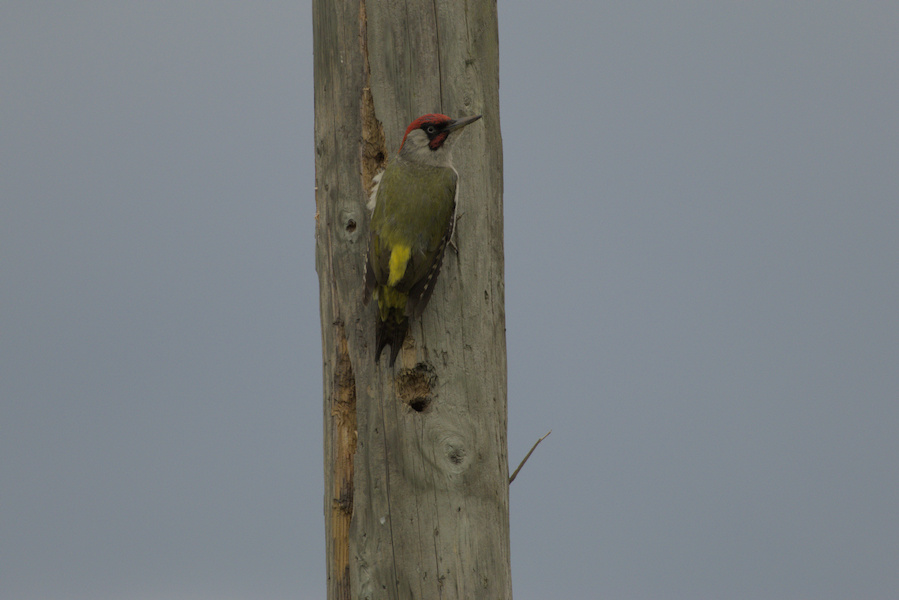

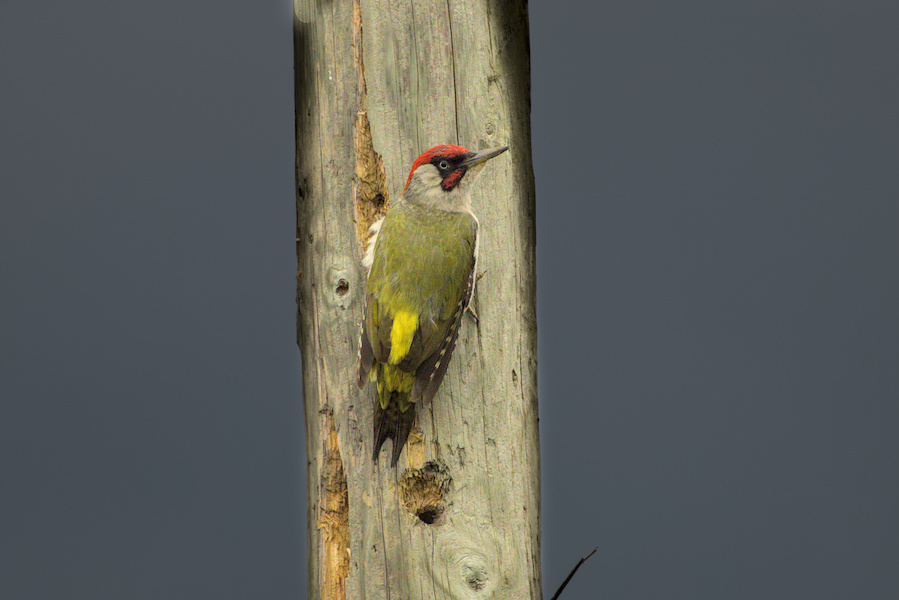
Dieses Beispiel zeigt einen Grünspecht an einem Strommast in mitten seiner vielen Löcher. Die Farben sind sehr flach. Dadurch dass der Vogel ganz vor dem Mast sitzt wurde die Entwicklung sehr erleichtert. Bei der Entwicklung wurde eine elliptische Maske für den kompletten Mast genutzt. Nach Invertierung der Maske wurde der Hintergrund mit dem Modul Belichtung abgedunkelt und mit dem Modul Entrauschen (Profil) sein Rauschen reduziert. Der Vogel und der Mast in der Maske wurden mit dem Modul Belichtung aufgehellt, ihr Kontrast wurde mit dem Modul Lokaler Kontrast erhöht und zum Schluss wurden beide mit dem Module Diffusion / Schärfe geschärft. Im Endresultat ist der Grünspecht farbenreicher und etwas schärfer. Der Hintegrund ist noch mehr abgedunkelt und stört nicht. Um keinen Heiligenschein um den Mast zu erzeugen, war die Maske etwas schmaler als der Mast. Dadurch sind Teile des Mastes rechts und links etwas abgedunkelt. Da ich das nicht störend fand, habe ich dort nicht nachgearbeitet. Etwa drei Monate nach dieser Aufnahme wurde der Mast durch das lokale Elektrizitätsunternehmen ausgetauscht. Die Spechte haben ihre Arbeit bereits wieder aufgenommen. This example shows a Green Woodpecker on a power pole in the middle of its many holes. The colours are very flat. Given the bird is entirely in front of the pole, the development was very much simplified. In the development a single elliptic mask was used for the entire pole. After inverting the mask, the background was darkened with the Exposure module and its noise reduced using the Denoise (profiled) module. Using the mask, the bird and the pole were brightened with the Exposure module, their contrast increased using the Local contrast module and finally, both were sharpened with the Diffuse or sharpen module. In the final result the Green Woodpecker is more colourful and somewhat sharper. The background is darker and does not disturb. To not produce a halo around the pole, the mask was somewhat smaller than the pole. Given this, parts of it on the left and right side were also darkened. Since I did not regard this as disturbing, I have not tried to improve on this. About three month after this image was taken, the pole was replaced by the local electricity company. The woodpeckers already re-started their work.
Schwer zu finden Hard to find
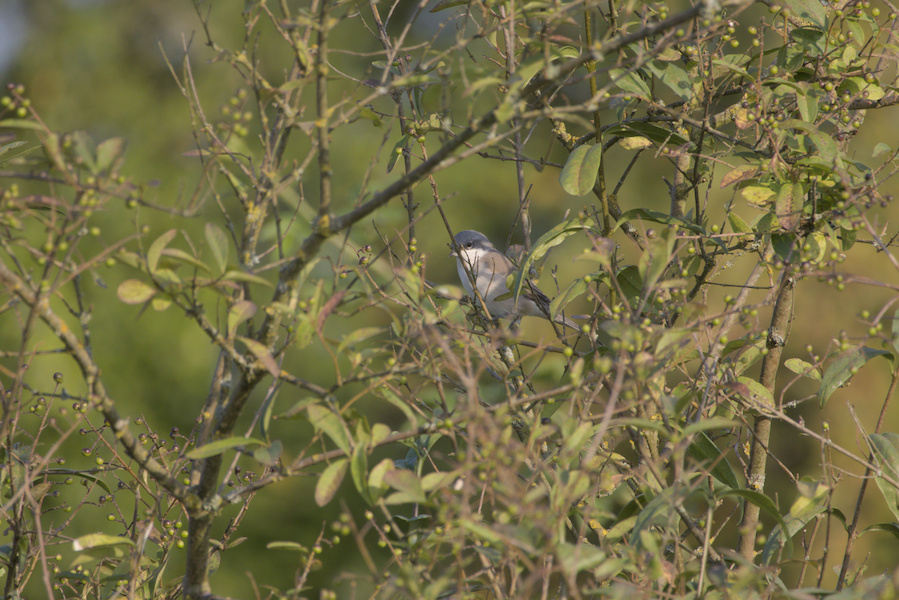
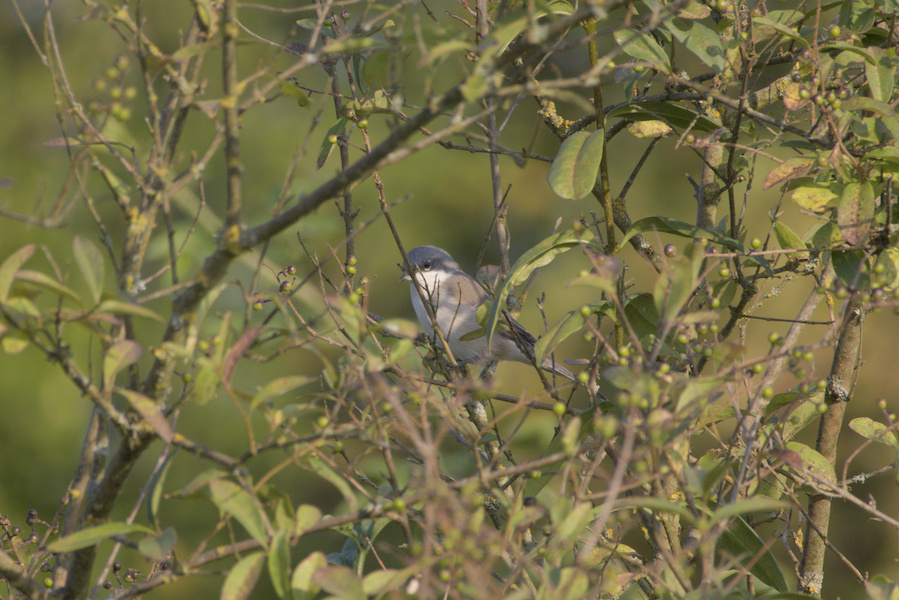
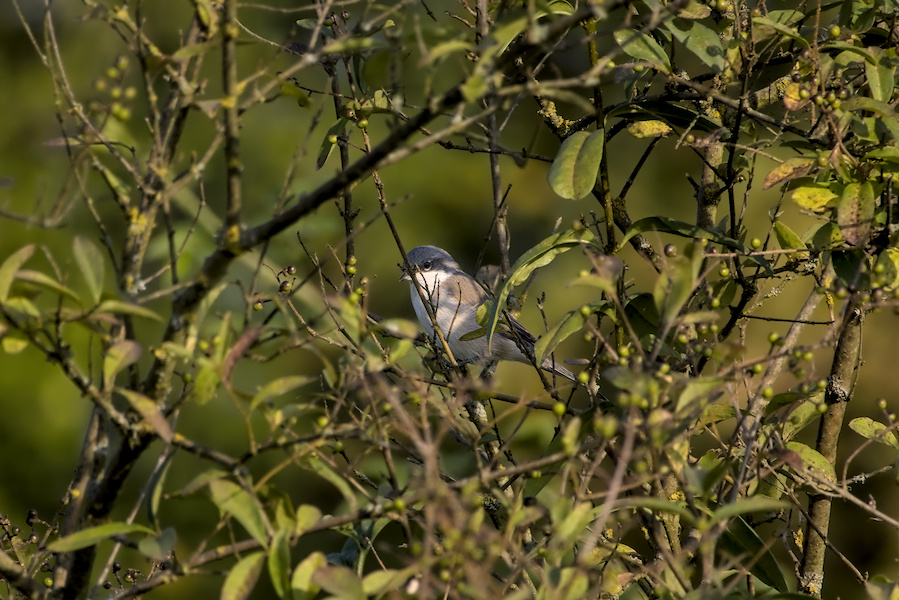
Dieses Beispiel zeigt eine Klappergraßmücke die tief in einem eher dunklen Busch sitzt. Der Vogel wurde mit einer gezeichneten Maske selektiert, seine Beleuchtung wurde mit dem Modul Belichtung angehoben und er wurde mit den Modulen Schärfen und Diffusion / Schärfe etwas geschärft. Da in der Vergrößerung das Rauschen mehr auffällt, wurde, nach Invertierung der Maske, nur der Hintergrund mit den Modulen Entrauschen (Profil) und Kontrast-Equalizer entrauscht. Im Endresultat ist der Vogel mehr prominent im Bild. This example shows a Lesser Whitethroat which sits deep in a rather dark bush. The bird was selected by a drawn mask. Using the module Exposure, its exposure was increased. It was also somewhat sharpened with the modules Sharpen and Diffuse or sharpen. Given the magnification, the noise in the background was more apparent. Therefore, after inverting the mask, only the noise in the background was reduced with the modules Denoise (profiled) and Kontrast-Equalizer. In the final image the bird appears more prominent.
Gerade angekommen Just arrived
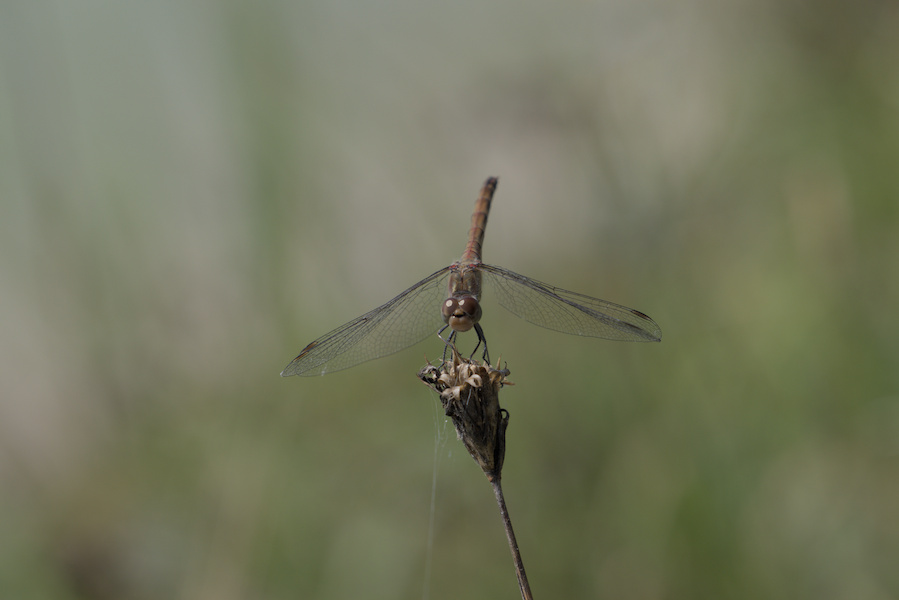
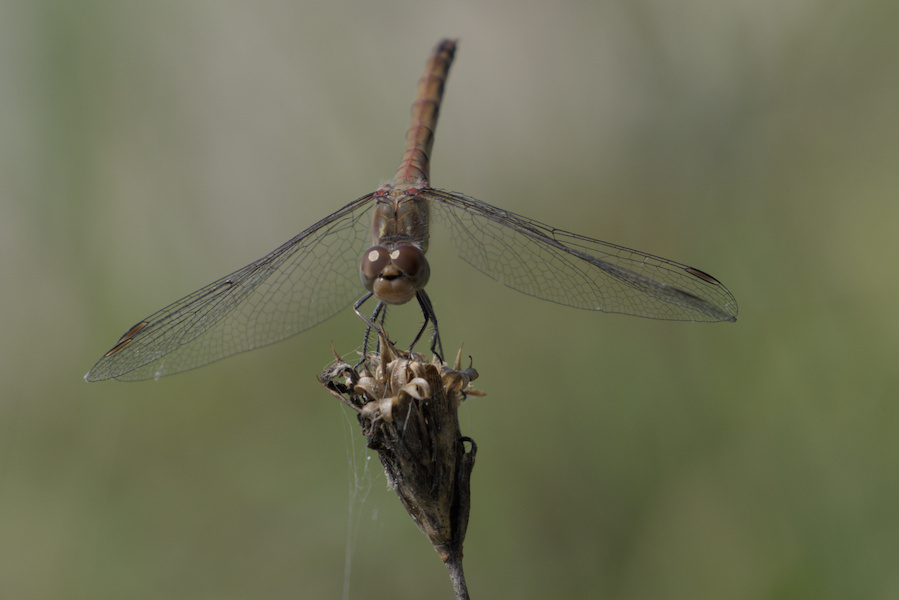
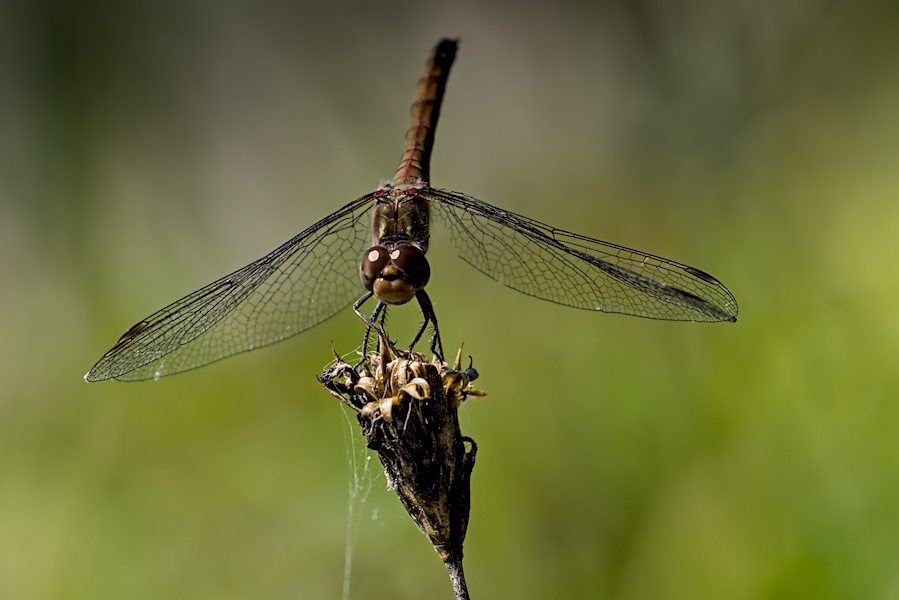
Dieses Beispiel zeigt eine Blutrote Heidelibelle nach der Landung auf einer verblühten Pflanze. Im Original sind die Farben blass und der Hintergrund ist zu hell, sodass er den Blick von der Libelle weglenkt. Mit Hilfe von Verlaufsmasken im Modul Belichtung wurde der Hintergrund abgedunkelt. Die Libelle wurde mit einer gezeichneten Maske ausgewählt. Ihr Kontrast wurde mit dem Modul Lokaler Kontrast erhöht und sie wurde mit dem Modul Diffusion / Schärfe etwas geschärft. Die Grüntöne wurden mit dem Modul Farbbalance RGB etwas angehoben. Im Endresultat ist die Libelle wesentlisch plastischer und der Blick wird nicht mehr so stark abgelenkt. This example shows a Ruddy Darter after landing on a faded plant. In the original image the colours are a bit pale and the background is too bright, such that it distracts the eye from the Ruddy Darter. Various parts of the background were thus somewhat darkened with the help of gradient masks using multiple instances of the Exposure module. The Ruddy Darter was selected by a drawn mask. Its contrast was increased with the Local contrast module, and it was sharpened using the Diffuse or sharpen module. The green colours were raised using the module Color balance RGB. In the final result the Ruddy Darter is significantly more three-dimensional and the gaze of the viewer is no longer so strongly distracted.
Sollen wir teilen? Should we share?
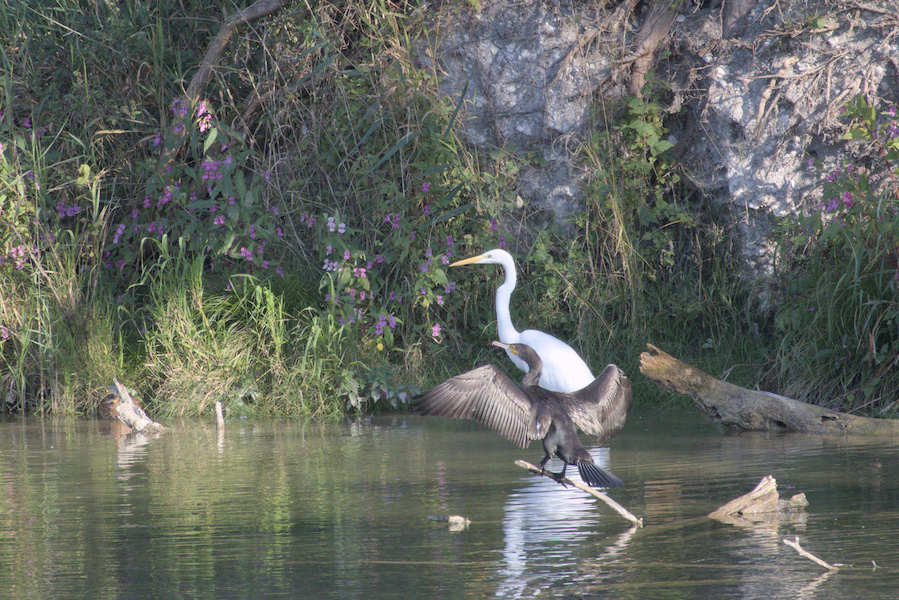
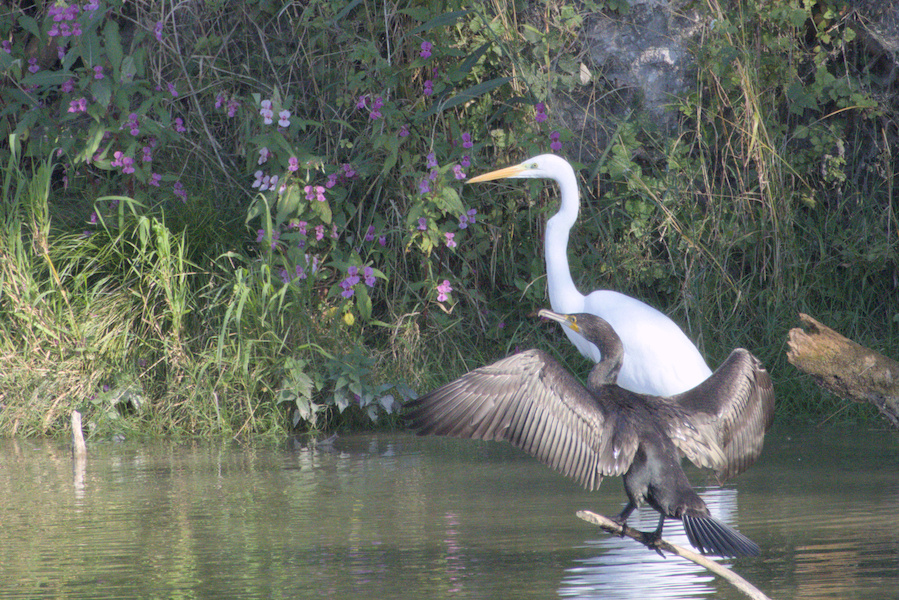
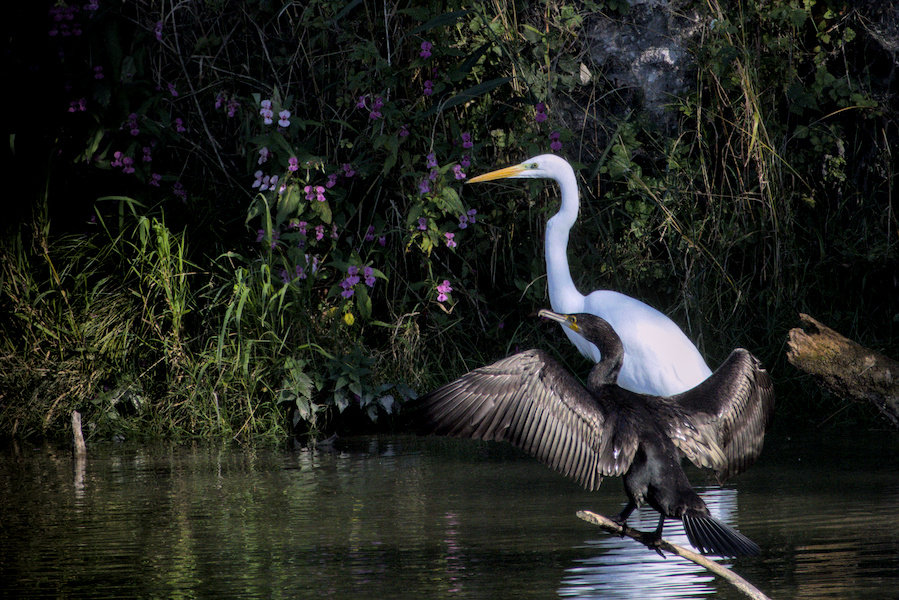
Dieses Beispiel zeigt einen Kormoran und ein Silberreiher die nah beieinander im Wasser stehen. Diese Aufnahme wurde mit Spotmessung (ein kleiner Belichtungs-Spot im Zentrum des Bildes bestimmt die Belichtung des ganzen Bildes) auf dem Kormoran durchgeführt. Dadurch war der weiße Silberreiher etwas überbelichtet. Außerdem fiel mehr Licht auf den Hintergrund als auf die Vögel. Zuerst wurde das ganze Bild mit dem Modul Belichtung etwas abgedunkelt. Danach wurde mit Hilfe von Verlaufsmasken in weiteren Kopien des Moduls Belichtung Teile des Hintergrunds abgedunkelt, wobei versucht wurde, die gute Sichtbarkeit der Farben der Pflanzen zu erhalten. Der Kontrast wurde mit dem Modul Lokaler Kontrast erhöht, und der Silberreiher wurde mit dem Modul Schärfen etwas geschärft. Die Farben wurden mit dem Modul Farbbalance RGB etwas intensiviert. Das Endresultat vermittelt einen viel plastischeren Eindruck der Szene. This example shows a Cormorant and Great White Egret, which are standing close to each other in the water. This photo was taken with spot-metering (a small spot in the center of the frame determines the frame exposure) directed at the Cormorant. Due to this, the Great White Egret was overexposed. In addition, more light was falling onto the background than onto the birds. Firstly, the exposure of the entire image was lowered using the Exposure module. Afterwards, by exploiting gradient masks within additional instances of the Exposure module, parts of the background were darkened. In this step an attempt was made to retain the good visibility of the colours of the plants The contrast was increased using the Local contrast module, and the Great White Egret was a bit sharpened using the Sharpen module. Finally, the colours were slightly intensified using the module Color balance RGB. The final image gives a much more three-dimensional impression of the scene.
Der nächste Schritt The next step
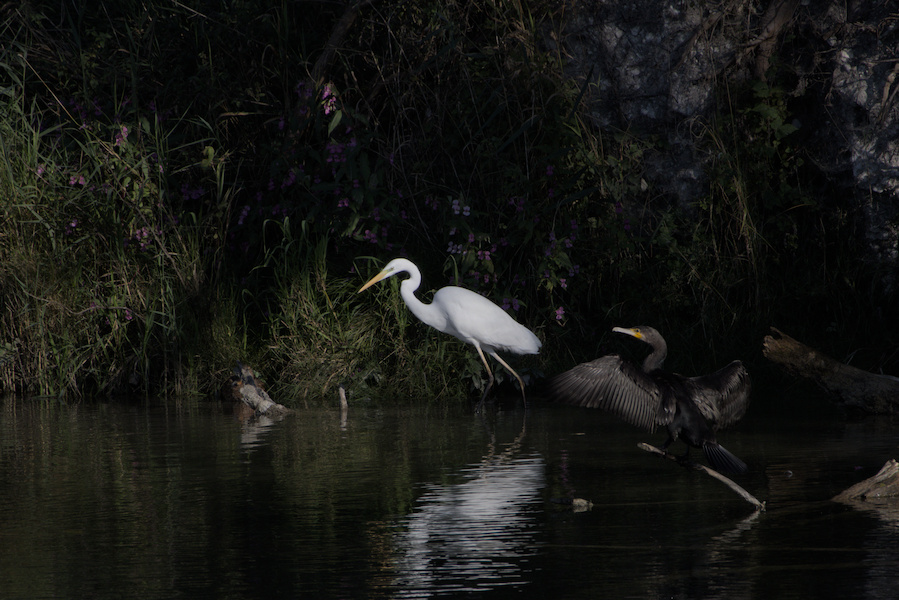
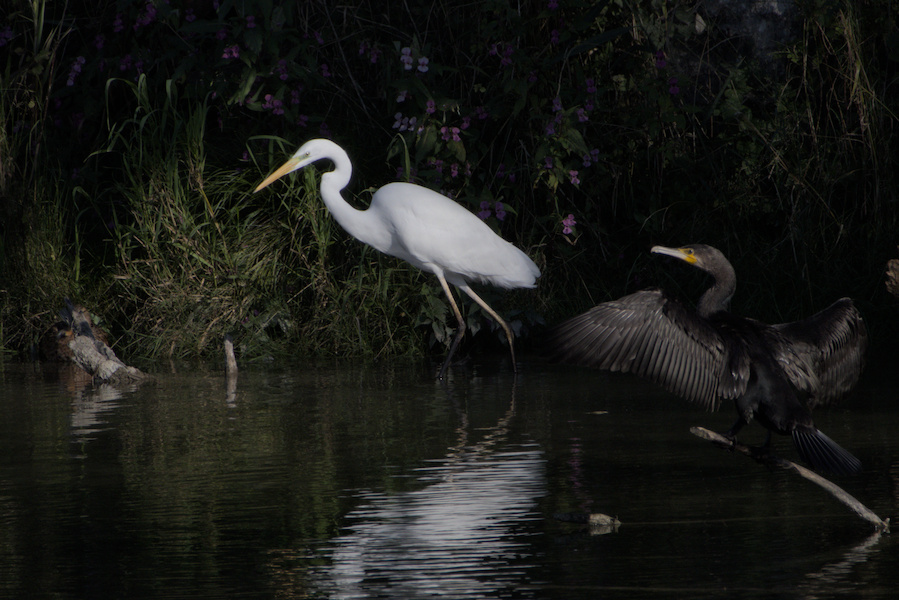
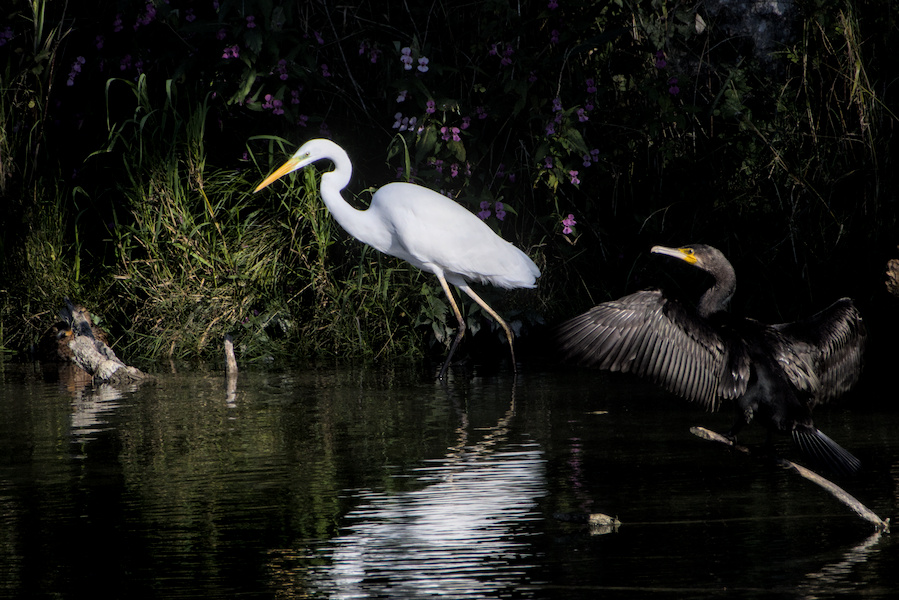
Dieses Beispiel zeigt die obige Szene mit dem Kormoran und dem Silberreiher. Diese Aufnahme wurde jedoch mit Spotmessung auf dem Silberreiher durchgeführt. Dadurch war der Rest des Bildes etwas unterbelichtet, aber alle Details des Federkleids des Silberreiher blieben erhalten. Die Aufgabe war den Rest der Szene besser sichtbar zu machen. Zuerst wurde das ganze Bild mit dem Modul Belichtung etwas aufgehellt. Danach wurde mit Hilfe von Verlaufsmasken in weiteren Kopien des Moduls Belichtung Teile des Hintergrunds weiter aufgehellt, wobei versucht wurde, die gute Sichtbarkeit der Farben der Pflanzen sicher zu stellen. Der Kontrast wurde mit dem Modul Lokaler Kontrast erhöht, und der Silberreiher wurde mit dem Modul Schärfen etwas geschärft. Der Hintergrund wurde mit dem Modul Entrauschen (Profil) etwas entrauscht, und die Farben mit dem Modul Farbbalance RGB etwas geändert. This example shows the above scene with a Cormorant and a Great White Egret. However, this photo was taken with spot-metering directed at the Great White Egret. Due to this, the rest of the image was somewhat underexposed, but all details of the feathering of the Great White Egret were retained. Now the task was to get more visibility into the rest of the scene. Firstly, the exposure of the entire image was raised using the Exposure module. Afterwards, by exploiting gradient masks within additional instances of the Exposure module, parts of the background were raised even more. In this step an attempt was made to ensure a good visibility of the colours of the plants. The contrast was increased using the Local contrast module, and the Great White Egret was a bit sharpened using the Sharpen module. Finally, the noise in the background was reduced with the Denoise (profiled) module, and the colours were slightly changed using the module Color balance RGB. Also here, the final image shows a much more three-dimensional impression of the scene.
Die guten Sachen hängen hoch Good stuff hangs high
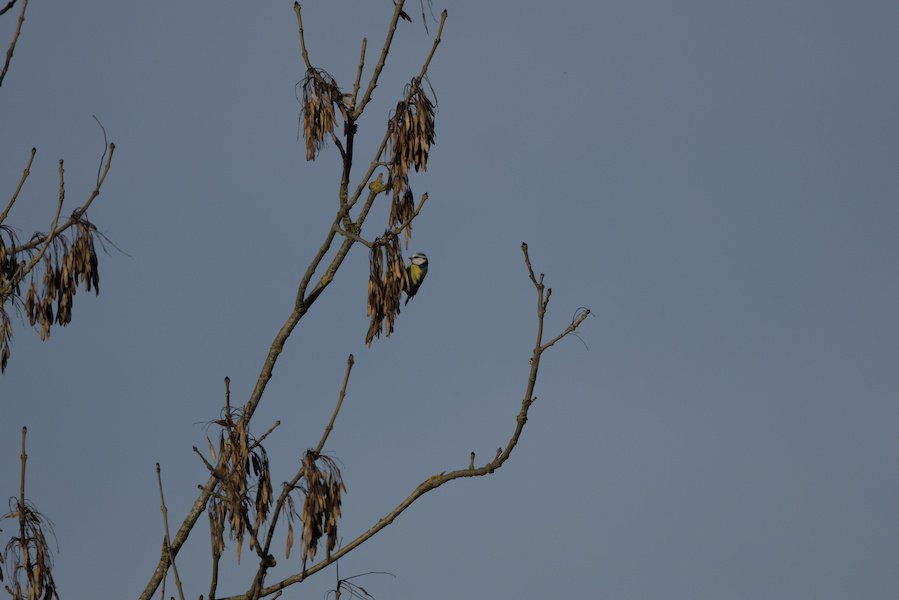
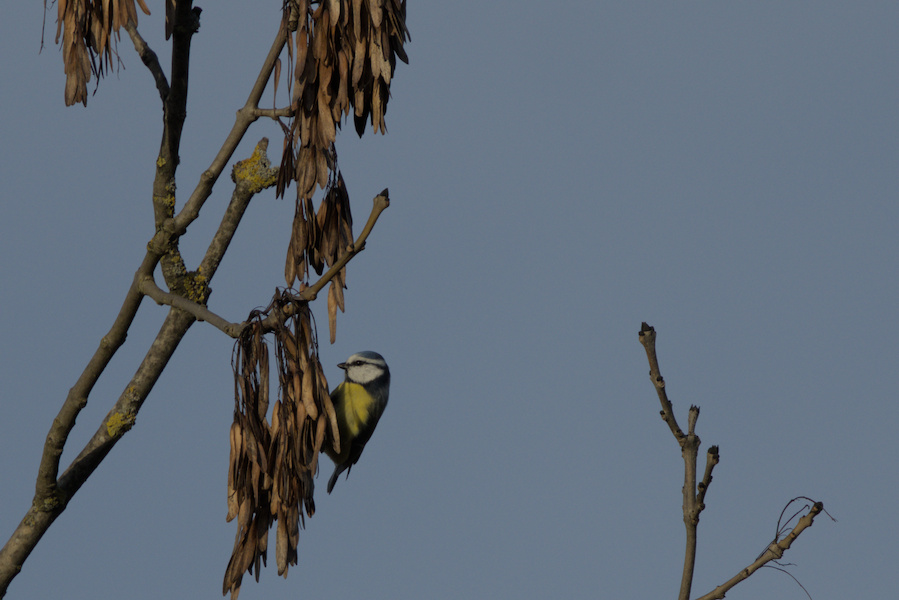
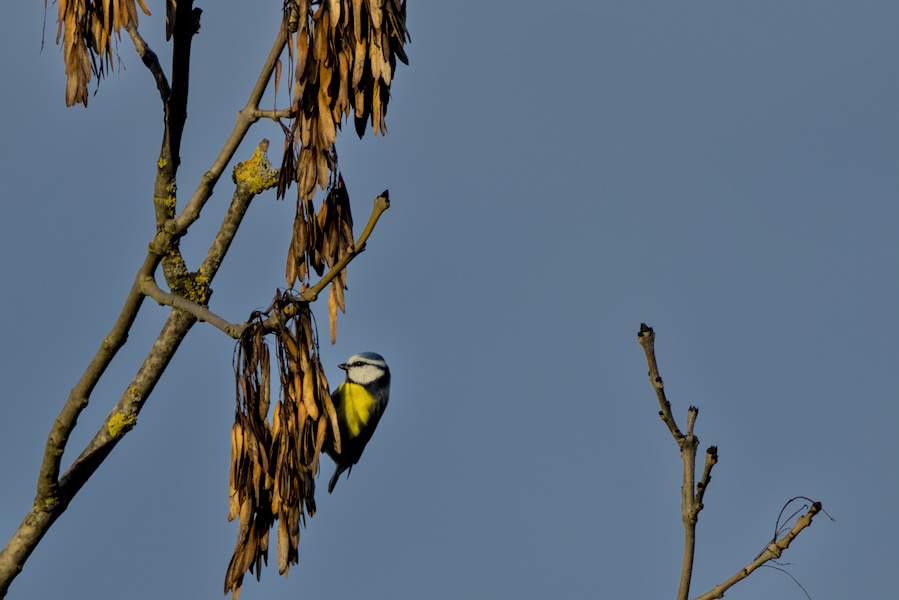
Dieses Beispiel zeigt eine Blaumeise hoch oben in einem Ahornbaum, die versucht dessen Früchte zu essen. Die Sonne stand tief und kam von links, so dass der Vogel leicht beschienen und auch scharf abgebildet wurde. Durch die gewichtete Belichtungsmessung war der kleine Vogel aber zu dunkel. Mit Hilfe einer elliptischen Maske im mehreren Kopien des Modul Belichtung wurde die Belichtung des Baums und des Vogels angehoben, während der Rest des Himmels dunkler belassen wurde. Der Kontrast wurde mit dem Modul Lokaler Kontrast erhöht. Der Hintergrund wurde mit dem Modul Entrauschen (Profil) etwas entrauscht, und die Farben mit dem Modul Farbbalance RGB etwas geändert. Im Endresultat erscheint der Vogel viel prominenter im Bild. This example shows a blue Tit sitting high up in a maple tree trying to eat its fruit. The sun was low and came from the left, so the bird was slightly illuminated and also sharply pictured. However, given the evaluated metering, the small bird appeared somewhat too dark. With the help of an elliptic mask in two instances of the Exposure module, the exposure of the tree and yhe bird was raised and the one of the background was kept darker. The contrast was slightly increased with the Local contrast module. The noise in the background was reduced with the Denoise (profiled) module, and the colours were slightly changed using the module Color balance RGB. In the final result, the bird appears much more prominent in the image.
Ist jemand da? Is anyone there?
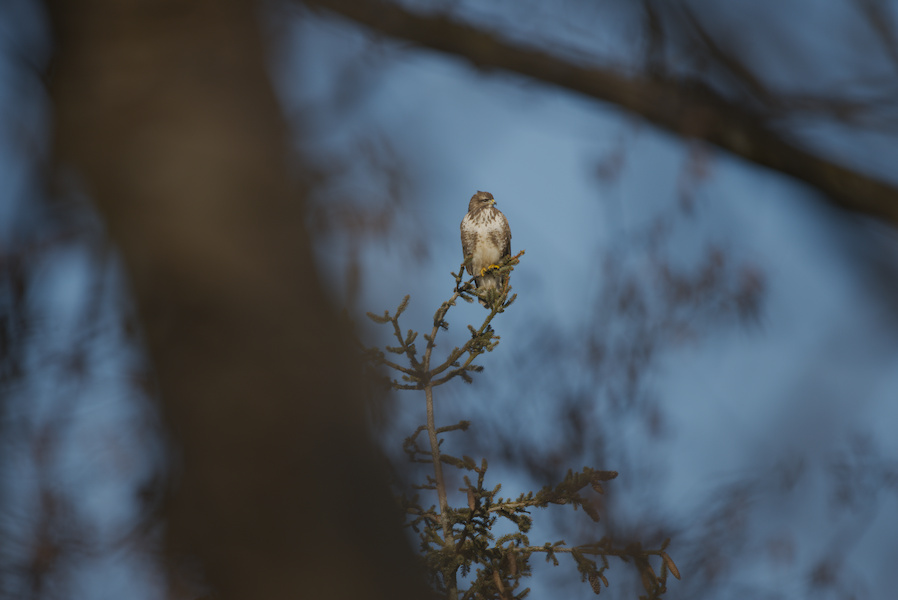
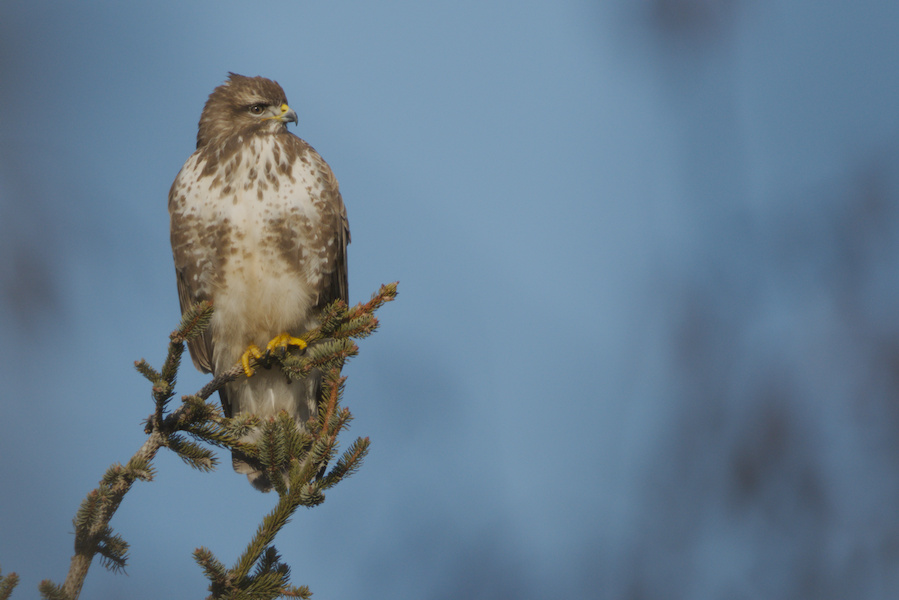
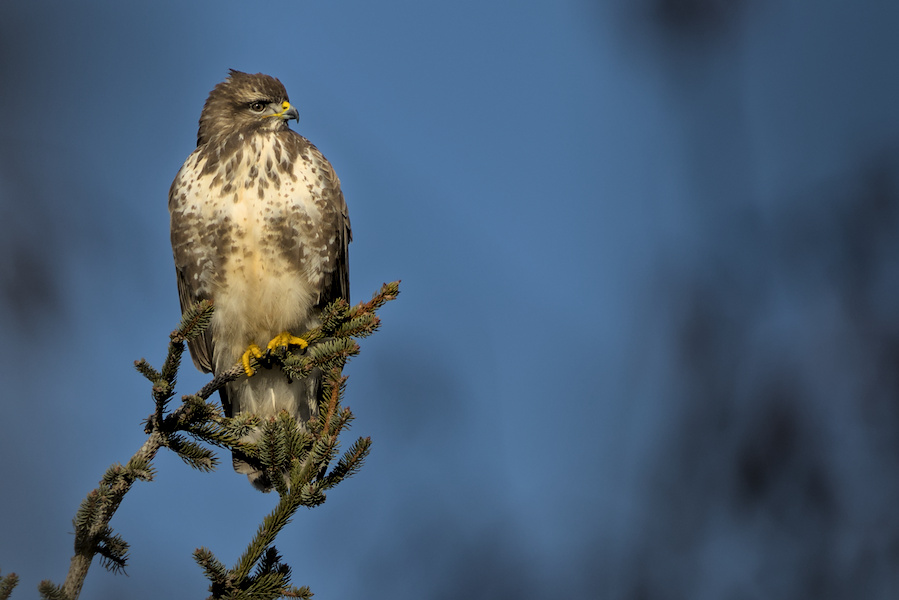
Dieses Beispiel zeigt einen Mäusebussard auf einem Baum. Die Sonne stand tief und kam von links, so dass der Vogel leicht beschienen war. Trotz des dichten Bewuchs funktionierte der Einzelpunkt Autofokus gut und der Vogel wurde scharf abgebildet. Mit Hilfe einer elliptischen Maske im mehreren Kopien des Modul Belichtung wurde die Belichtung des Baums und des Vogels angehoben, während der Rest des Himmels dunkler belassen wurde. Der Kontrast wurde mit dem Modul Lokaler Kontrast erhöht. Der Hintergrund wurde mit dem Modul Entrauschen (Profil) etwas entrauscht, und die Farben mit dem Modul Farbbalance RGB etwas geändert. Im Endresultat erscheint der Vogel viel prominenter im Bild. This example shows a blue Common Buzzard sitting in a tree The sun was low and came from the left, such that the bird was slightly illuminated. Despite the dense vegetation the single-point autofocus worked well and the bird was sharply pictured. With the help of an elliptic mask in several instances of the Exposure module, the exposure of the tree and the bird was raised and the one of the background was kept darker. The contrast was slightly increased with the Local contrast module. The noise in the background was reduced with the Denoise (profiled) module, and the colours were slightly changed using the module Color balance RGB. In the final result, the bird appears much more prominent in the image.
Rüttelflug Hovering
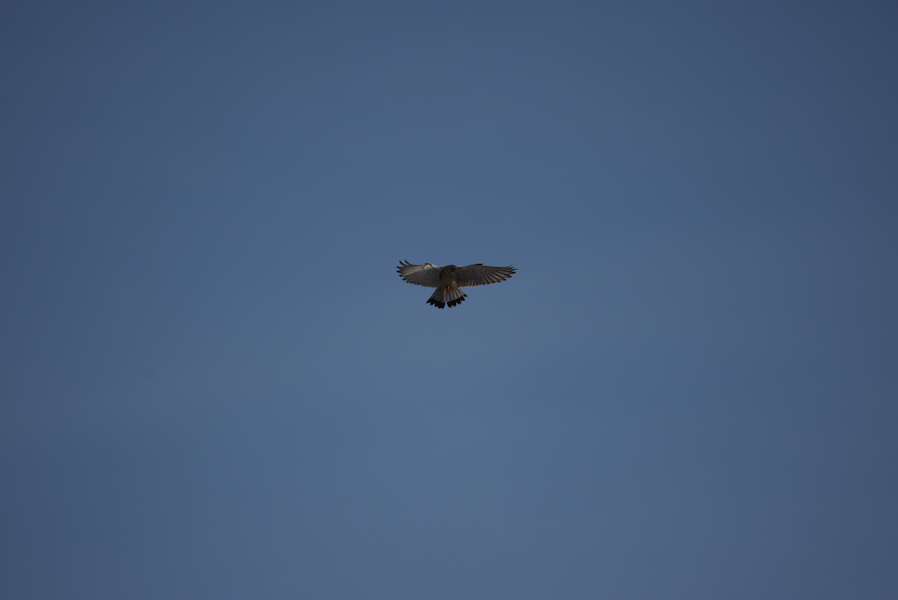
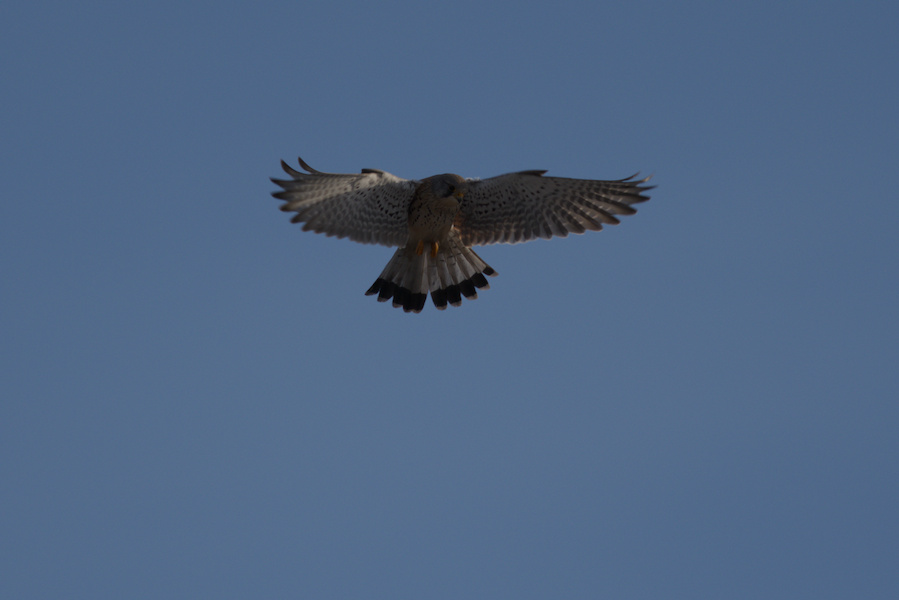
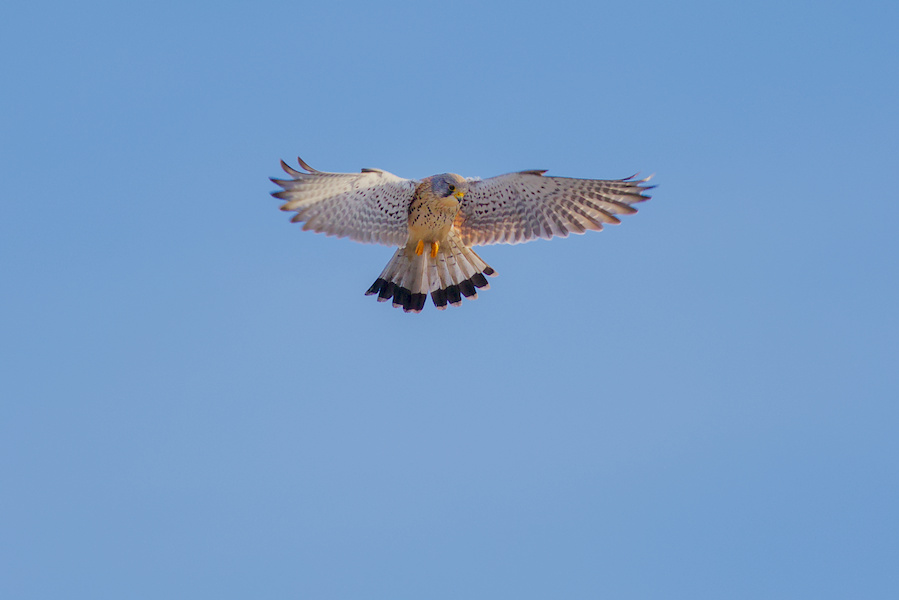
Dieses Beispiel zeigt einen Turmfalken im typischen Rüttelflug auf Beutejagd. Die Sonne stand noch tief und kam von rechts, so dass die Unterseite des Vogels zwar im Schatten lag, er jedoch ausreichend scharf abgebildet wurde. Durch die gewichtete Belichtungsmessung war der kleine Vogel aber viel zu dunkel. Mit Hilfe elliptischer Maske im mehreren Kopien des Modul Belichtung wurde die Belichtung des Vogels angehoben, und der Himmels wurde etwas angepasst. Der Kontrast wurde mit dem Modul AgX leicht erhöht und der Vogel mit dem Modul Schärfen etwas geschärft. Der Hintergrund wurde mit dem Modul Entrauschen (Profil) etwas entrauscht, und die Farben mit dem Modul Farbbalance RGB etwas geändert. Im Endresultat erscheint der Vogel besser ausgeleuchtet undd viel prominenter im Bild. This example shows an Eurasian Kestrel in its typical hovering flight searching for prey. The sun was still low and came from the right, such that the underside of the the bird was in the shade, still it was pictured sharp enough. However, given the evaluated metering, the small bird appeared much too dark. With the help of elliptic masks in several instances of the Exposure module, the exposure of the bird was raised and the one of the background was adjusted. The contrast was slightly increased with the AgX module and the bird was sharpened with the Sharpen module. The noise in the background was reduced with the Denoise (profiled) module, and the colours were slightly changed using the module Color balance RGB. In the final result, the bird appears better illuminated and much more prominent in the image.
Weitere Beispiele Additional examples
Weitere Beispiele zu den mit dem darktable Programm erzielten Resultate, zusätzlich auch im Vergleich zu den erlangten Ergebnissen mit der Topaz Photo AI Software, finden sich auf darktable ↔ Topaz Photo AI Seite. Additional examples of what was achieved with the darktable program, in addition also compared with the results achieved with the Topaz Photo AI software, can be found on the darktable ↔ Topaz Photo AI page.